Best Elderly Check-In App For Seniors Living Alone In USA (2026)
It is a quiet Tuesday morning. You are sitting in your home office, three states away from your father. You sent a text at 9:00 AM. No reply. It’s now 11:30 AM. You call; it goes to voicemail.
Your heart begins to thrum with that familiar, cold “silent anxiety.” Is he just in the garden? Did he leave his phone in the kitchen? Or is he lying on the hallway floor, unable to reach the phone, wondering why no one has come yet?
For the 14.7 million seniors living alone in the United States today, independence is the ultimate goal for a well-lived life. But for their adult children, the “sandwich generation” often living several time zones away, that independence comes with a heavy price.
You don’t want to be the “overbearing child” who calls three times an hour, but you cannot ignore the risks. As we move through 2026, we no longer have to choose between “intrusive surveillance” and “hoping for the best.” This guide explores how a daily check-in app can respect an elder’s dignity while guaranteeing your peace of mind.
High Stakes of the Long Lie
The primary danger for seniors isn’t just a fall; it’s the “Long Lie”– the period spent on the floor unable to call for help.
- Fall Factor: According to the CDC (2026), 1 in 4 Americans over 65 falls every year, leading to 3 million emergency room visits.
- Time Gap: For seniors living solo, a fall that happens at night might not be discovered until a relative calls the next afternoon. This delay significantly increases the risk of dehydration, muscle damage, and long-term loss of independence.
- “Solo Ager” Surge: Experts predict that by 2038, the majority of people over 80 will be “solo agers” with no spouse or local family to check on them daily (AARP/Harvard).
Comparing Your Options: Manual vs. Automated Safety
When searching for a wellness check app in the USA, most families start with traditional methods. Here is how they stack up against modern, professional solutions.
1. Manual Calling (Traditional Way)
- Pro: It’s free and personal.
- Con: It’s prone to human error. If you get stuck in a meeting or your parent is in the garden without their phone, the “safety check” fails. This leads to “False Alarm Fatigue,” causing unnecessary panic for you and a sense of guilt for them.
2. GPS Tracking Apps (Surveillance Way)
- Pro: You always know where they are.
- Con: It can feel like an invasion of privacy. Many seniors feel “tracked” like a teenager, which can strain the parent-child relationship. Crucially, a GPS dot on a map doesn’t tell you if they are well, only that they are home.
3. Medical Alert Devices (Hardware Way)
- Pro: Immediate SOS button.
- Con: Pride and Forgetfulness. Statistics show that many seniors refuse to wear “the button” because it makes them feel frail. Furthermore, many forget to put it on after a shower – exactly where the highest percentage of falls occur.
4. Automated Daily Check-In + Dispatch (Smart Way)
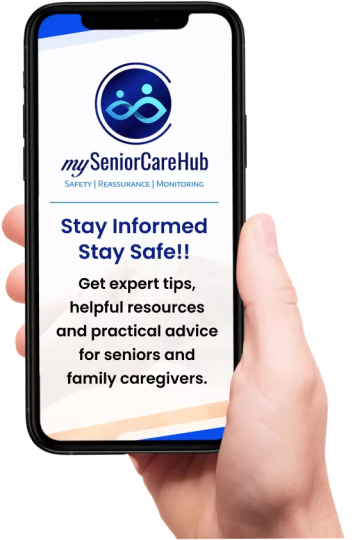
This is where mySeniorCareHub fits in. It’s a daily check-in app designed for the elderly to be:
- Non-Intrusive: The parent taps a button once a morning to say, “I’m Okay.” No awkward 20-minute “just checking on you” interrogation is required.
- Professional Safety Net: If they miss their window, the app doesn’t just send a text to a busy caregiver; it triggers a professional medical response.
Case Scenario: From Panic to Professionalism
Meet Robert, a 72-year-old living in Arizona, and his daughter Claire, who lives in New York.
Old Way: Claire would call Robert every morning before work. One Wednesday, Robert slept in and left his phone in the living room. Claire called four times, got no answer, and eventually panicked.
She called the local police for a “wellness check.” The police arrived, knocking loudly and alarming the neighbors, only to find Robert eating breakfast. Robert felt humiliated; Claire felt exhausted.
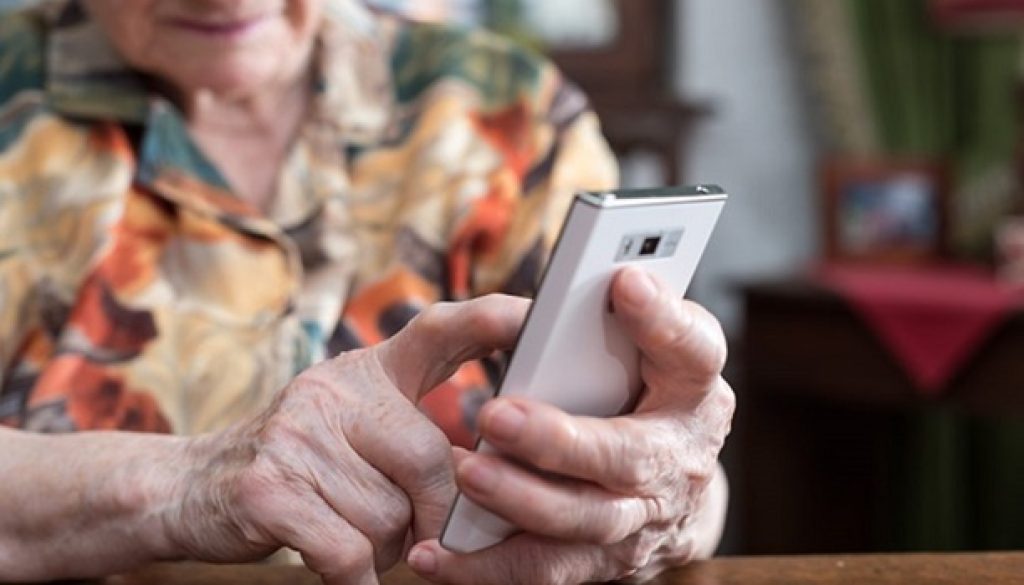
mySeniorCareHub Way: Now, Robert has a daily check-in app window from 8:00 AM to 10:00 AM. He taps a large green button on his phone when he wakes up. Claire gets a quiet notification: “Dad checked in at 8:15 AM.”
But one morning, Robert actually tripped in the kitchen. He couldn’t reach his phone. When 10:00 AM passed without a tap, the mySeniorCareHub Daily Check-In Feature went into action.
The dispatcher tried calling Robert, then Claire. When neither answered, they dispatched EMS. Robert was found within 45 minutes—preventing the “Long Lie” and ensuring a full recovery.
Why mySeniorCareHub is the Best Check-In App for Seniors in 2026
If you are looking for a wellness check app that balances autonomy with professional-grade safety, our platform stands out for three primary reasons:
1. Professional Emergency Dispatch
Unlike basic apps that only text a busy family member (who might be commuting or in a meeting), our Daily Check-In app features 24/7 Trained Medical Dispatchers. If a check-in is missed and we can’t reach the senior, we can dispatch local EMS directly to their home. (only for gold plan users)
2. Zero Hardware Required
There are no pendants to charge or bracelets to lose. It works on the smartphone your parent already uses and carries every day. It’s safety that doesn’t “look” like a medical device.
3. Reduced Caregiver Burnout
By automating the “Safety Check,” you can use your phone calls for what matters: catching up on life, hearing their stories, and maintaining a bond, rather than acting like a security guard.
Take the Anxiety Out of Your Mornings
Independence shouldn’t mean being alone. Give your parents the freedom they want and give yourself the reassurance you need.
With our daily check-in app, you aren’t just buying software; you are investing in a promise that your parent will never be left alone in their time of need.
No long-term contracts. 2,000+ families protected. Set up in under 2 minutes
See How Daily Reassurance Works
Frequently Asked Questions
How does a wellness check-in app differ from a life alert button?
A life alert button requires the user to be conscious and willing to press it. However, a daily check-in app is proactive – if the user fails to check in, the system automatically triggers an alert, protecting them even if they are unconscious.
What happens if my parent forgets to check in?
The app sends a series of gentle reminders. If the check-in window closes, the system notifies the designated caregivers. If you’re under the Gold Plan, then a professional dispatcher will attempt to call the senior and, if necessary, dispatch emergency services as well.
How does fall detection work without a wearable?
Our app utilizes the advanced sensors already present in modern smartphones to detect sudden impact or abnormal motion patterns.
Is my parents’ privacy protected?
Yes. Unlike “always-on” GPS trackers, our app focuses on wellness confirmation. It respects the senior’s privacy by only sharing location data during a confirmed emergency or SOS trigger.
Can I use this app if I live outside the USA?
Absolutely. Many of our members are NRIs (Non-Resident Indians) or expats living globally who use the app to monitor parents living solo in the USA or India. The app bridges the distance across all time zones.