Best Family Safety Apps for Seniors: Features Families Should Look For

Choosing the right safety app for an aging parent is not always easy. You want to know they are safe at home, reach them during emergencies, and stay informed when they travel independently. But constant phone calls or complicated monitoring tools can make older adults feel like they are losing their freedom.
A family safety app for seniors offers a practical solution. These apps help families stay connected through features such as daily safety check-ins, GPS location sharing, emergency alerts, and caregiver notifications.
However, not every app provides the same level of protection. Some focus mainly on location tracking, while others offer emergency assistance or daily safety monitoring.
This guide explains the essential features families should compare, explores popular senior safety apps, and helps you choose an option that supports both safety and independent living.
KEEP YOUR AGING LOVED ONES SAFE, CONNECTED AND INDEPENDENT
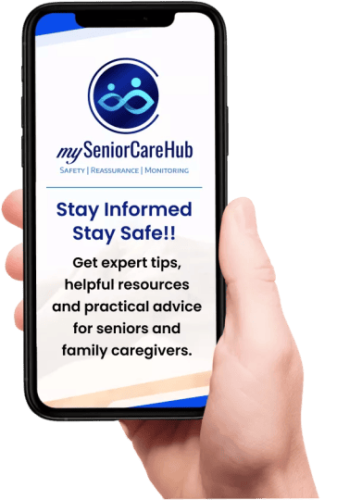
Give your family greater peace of mind with mySeniorCareHub’s Family Safety App, designed to support everyday senior safety and provide access to emergency assistance when needed.
What Is a Family Safety App for Seniors?
A family safety app for seniors is a mobile application designed to help older adults stay connected with trusted family members and access assistance when needed.
Depending on the app, it may provide location sharing, scheduled check-ins, emergency SOS alerts, caregiver notifications, or professional emergency dispatch.
Unlike traditional phone calls, these tools can make everyday safety communication more organized.
For example, a senior living alone can complete a daily check-in, allowing family members to know they have confirmed their safety without making repeated calls.
For long-distance caregivers, a senior safety app can provide an additional layer of reassurance while respecting an older adult’s independence.
7 Essential Features to Look for in a Family Safety App for Seniors
The best app should address the family’s actual safety concerns rather than simply offering the longest feature list.
1. Daily Safety Check-Ins
Daily check-ins are particularly valuable for seniors who live alone.
A daily check-in app for seniors allows an older adult to confirm they are safe at a scheduled time.
Some apps also notify designated contacts when a check-in is missed.
For example, if an aging parent usually checks in every morning but misses their scheduled confirmation, family members can follow up.
What to look for: Simple check-in controls, flexible schedules, clear notifications, and a defined missed-check-in process.
2. GPS Location Tracking and Sharing
A GPS tracking app for seniors helps authorized family members view an older adult’s location when sharing is enabled.
This can be useful for seniors who regularly walk, attend appointments, or travel independently.
For instance, if your father takes longer than expected to return from a doctor’s appointment, available location information may help you understand where he is.
However, location accuracy depends on the phone’s settings, connectivity, and environment.
What to look for: Clear location permissions, reliable updates, easy family access, and privacy controls.
3. Emergency SOS Alerts
Emergencies can happen unexpectedly, making quick access to assistance essential.
An emergency SOS app for seniors allows users to request help without searching through multiple contacts.
Depending on the service, an SOS alert may notify trusted family members or connect the user with emergency assistance.
For seniors who experience sudden dizziness, confusion, or another urgent problem, an accessible emergency feature can be especially important.
What to look for: Easy activation, clear emergency contacts, dependable notifications, and an understandable response process.
4. 24/7 Emergency Dispatch
Not every family member can respond immediately, especially during working hours or late at night.
Some senior safety services offer access to professional emergency dispatch around the clock.
This differs from a basic SOS notification that only alerts relatives.
For example, if an older adult requests emergency assistance at 2 a.m., a dispatch-supported service may provide an additional response pathway.
What to look for: Who receives the emergency request, whether monitoring is staffed 24/7, response procedures, coverage, and subscription requirements.
5. Simple and Senior-Friendly Design
Even a feature-rich app becomes ineffective if an older adult finds it difficult to use.
The best family safety apps should prioritize readable text, straightforward navigation, and easily accessible safety functions.
An older adult should not need to navigate several screens to request assistance.
Before subscribing, let your parent try the app and complete its most important actions independently.
What to look for: Large buttons, readable text, simple instructions, accessible controls, and minimal setup complexity.
6. Privacy and Family Sharing Controls
Location sharing and safety monitoring should support independence rather than create unnecessary surveillance.
Older adults should understand what information the app collects and who can access it.
Families should discuss expectations before enabling location tracking or other monitoring features.
What to look for: Consent-based sharing, clear permissions, data protection information, and control over authorized contacts.
7. Reliable Notifications and Affordable Plans
Safety alerts are only useful when they reach the intended recipients.
Check how notifications behave when a phone has poor reception, notifications are muted, or background permissions are restricted.
Pricing matters too. A free app may offer basic location sharing, while advanced safety features or professional monitoring may require a subscription.
What to look for: Notification reliability, Android and iOS compatibility, transparent pricing, and clearly explained limitations.
Best Family Safety Apps for Seniors in 2026: Popular Options Compared
Different apps serve different needs. Some are primarily family location-sharing tools, while others focus on senior safety or emergency monitoring.
| App or Service | Best For | Main Safety Capabilities |
|---|---|---|
| mySeniorCareHub | Connected senior safety | Daily Check-In, Location Tracking, Emergency Help, 24/7 Dispatch |
| Life360 | Family location awareness | Location sharing, place alerts, family notifications |
| Caretaker | Simple family communication | Daily check-ins, opt-in location sharing, one-tap family contact |
| Senior Safety App | Android-based monitoring | Location tracking and selected safety alerts |
| Medical Guardian | Professional emergency response | Medical alert devices, emergency monitoring, caregiver tools |
Features, device requirements, and subscription plans vary. Verify current availability before purchasing.
mySeniorCareHub: Best for Connected Everyday Senior Safety
mySeniorCareHub focuses on four essential family safety app features: Daily Check-In, Location Tracking, Emergency Help, and 24/7 Dispatch.
This makes it relevant for families who want regular safety confirmation alongside access to emergency assistance.
Its broader senior care ecosystem also includes SafeLynk medical alert devices and separate wellness tools.
Life360: Best for Family Location Sharing
Life360 is a family location-sharing service with features such as location visibility and place-based notifications.
It may suit families whose main concern is knowing when an older adult reaches or leaves familiar locations.
However, location sharing alone does not provide the same experience as a dedicated senior check-in or professional medical alert service.
Caretaker: Best for Simple Family Connection
Caretaker emphasizes independent living through daily check-ins, private location sharing, and quick access to selected family members.
Its approach may appeal to older adults who prefer a simple smartphone-based solution without additional wearable equipment.
Families should distinguish its family-contact approach from professionally monitored emergency dispatch.
Senior Safety App: Best for Android-Based Safety Alerts
Senior Safety App focuses on smartphone-based monitoring features, including location-related tools and selected safety notifications.
It may suit families looking for Android-focused functionality, although exact features and device compatibility should be checked before choosing a plan.
Families should distinguish its family-contact approach from professionally monitored emergency dispatch.
Medical Guardian: Best for Professional Emergency Monitoring
Medical Guardian combines dedicated medical alert equipment with professional emergency monitoring.
Its services may be appropriate for seniors who prioritize emergency response over everyday smartphone-based family communication.
However, device purchases and monitoring subscriptions can make it a different type of investment from a standalone family safety app.
How to Choose the Right Family Safety App for Your Aging Parents
Before choosing an app, consider these practical questions:
- Does your parent live alone? Prioritize daily check-ins and dependable emergency assistance.
- Do they regularly travel outside? Look for consent-based GPS location sharing.
- Can family members respond during emergencies? Consider whether professional dispatch is necessary.
- Are they comfortable with smartphones? Test the interface before purchasing.
- What is the total cost? Compare subscriptions, optional services, and device requirements.
A good elderly parent monitoring app should match the senior’s daily routine rather than force them to change their lifestyle around the technology.
Free vs Paid Family Safety Apps: Which Is Better?
Free apps can be useful when families primarily need basic location sharing or communication.
However, free features may not include scheduled safety check-ins, advanced notifications, or professional emergency response.
Paid services may provide additional safety capabilities, but subscriptions are only worthwhile when those features address a genuine need.
| Feature | Free or Basic Apps | Paid Senior Safety Services |
|---|---|---|
| Basic location sharing | Often available | Commonly available |
| Daily check-ins | Varies | Available in selected apps |
| Emergency SOS | May notify contacts | May include additional response options |
| 24/7 professional dispatch | Generally not included | Available with selected services |
| Caregiver notifications | Basic or limited | Depends on plan |
| Dedicated senior support | Varies | Depends on provider |
For seniors living independently, the decision should depend on the level of emergency support required, not simply whether the app is free.
How mySeniorCareHub Helps Families Support Senior Safety
mySeniorCareHub brings four connected safety functions into its family safety app.
Daily Check-In helps older adults confirm their everyday safety. Location Tracking supports authorized family awareness during outings.
Emergency Help provides a way to request assistance, while 24/7 Dispatch adds access to emergency dispatch support beyond normal family availability.
For example, a daughter living in another state may use daily check-ins to stay connected with her mother. When her mother goes out, location sharing can provide additional awareness.
If an emergency occurs, the app’s emergency assistance capabilities offer another way to seek support.
Families can explore Daily Safety Check-In and Emergency Dispatch and the Location Tracking App to understand these features.
The goal is not to replace personal caregiving. It is to make everyday safety communication more practical while supporting independence.
Final Thoughts
The best family safety app for seniors should be easy to use, respect privacy, and provide the right level of everyday safety support.
Daily check-ins help families maintain regular communication. GPS location sharing supports awareness during outings, while emergency SOS and dispatch services provide additional options when urgent assistance is needed.
For families seeking a connected solution, mySeniorCareHub combines Daily Check-In, Location Tracking, Emergency Help, and 24/7 Dispatch within its Family Safety App.
Before choosing any service, involve your aging parent in the decision, review its emergency procedures, and test the essential features together.
Explore mySeniorCareHub to discover connected safety solutions designed for seniors and their families.
MAKE EVERYDAY SENIOR SAFETY SIMPLER WITH MYSENIORCAREHUB
Frequently Asked Questions (FAQs)
-
The best app depends on the senior’s needs. Look for daily check-ins, accessible emergency help, reliable notifications, and professional dispatch if family members cannot always respond.
-
Yes. Compatible GPS location-sharing apps allow authorized family members to view location information when the older adult has enabled sharing and the device has appropriate permissions and connectivity.
-
Yes. Some apps provide free basic location sharing or communication. However, scheduled check-ins, additional alerts, and professional emergency monitoring may require payment.
-
It depends on the app. Some services notify designated contacts after a missed check-in, allowing family members to follow up. Review the app’s exact notification and escalation process.
-
Not always. A basic family safety app may only notify relatives, while a professionally monitored medical alert system can connect users with an emergency response service. Some connected solutions offer both types of support.
-
Prioritize daily check-ins, GPS location sharing, emergency SOS access, reliable caregiver notifications, easy navigation, privacy controls, and appropriate emergency response options.