How mySeniorCareHub Promotes Family Safety With Daily Check-Ins, Location Tracking and Emergency Support

Keeping aging parents safe becomes challenging when family members cannot always be physically present. Whether seniors live independently, travel outside their homes, or need urgent assistance, families want reliable ways to stay connected without interfering with their everyday freedom.
A family safety app can help bridge this gap. With a 4.7 user rating, mySeniorCareHub focuses on supporting senior independence through connected safety technology. Its Family Safety App brings together four essential features: Daily Check-In, Location Tracking, Emergency Help, and 24/7 Dispatch. These tools help families maintain everyday safety awareness while giving older adults access to support when needed.
KEEP YOUR AGING LOVED ONES SAFE, CONNECTED AND INDEPENDENT
Support everyday senior safety with mySeniorCareHub’s Family Safety App, bringing daily check-ins, location awareness, and emergency assistance together.
Why Is Family Safety Important for Seniors Living Independently?
Many older adults prefer maintaining their familiar routines, whether that means living alone, visiting friends, or managing everyday activities without assistance.
However, unexpected situations can create concerns for family caregivers.
An aging parent might forget to contact family, experience difficulty while outside, or require emergency assistance when nobody is nearby.
Traditional phone calls and occasional visits remain valuable, but they cannot always provide timely safety information.
A senior safety app adds another layer of support by connecting everyday safety confirmation, location awareness, and emergency assistance.
Rather than replacing personal caregiving, technology helps families remain informed while respecting seniors’ independence.
Four Ways mySeniorCareHub Supports Everyday Family Safety
mySeniorCareHub focuses on practical safety needs instead of overwhelming families with complicated monitoring tools.
Its four connected features address different situations that older adults and caregivers may experience.
1. Daily Check-In Supports Regular Safety Confirmation
One common concern for families is not knowing whether an aging parent is safe during their usual daily routine.
The Daily Check-In feature provides seniors with a simple way to confirm their safety.
For example, an older adult living alone can complete a regular check-in, helping family members maintain awareness without repeatedly calling throughout the day.
This encourages a predictable routine and supports communication between seniors and caregivers.
If a check-in is missed, family members can follow up to understand whether assistance is needed.
Explore Daily Safety Check-In to understand how regular safety confirmation supports independent living.
2. Location Tracking Helps Families Stay Connected
Families often worry when aging parents travel independently or spend time outside their homes.
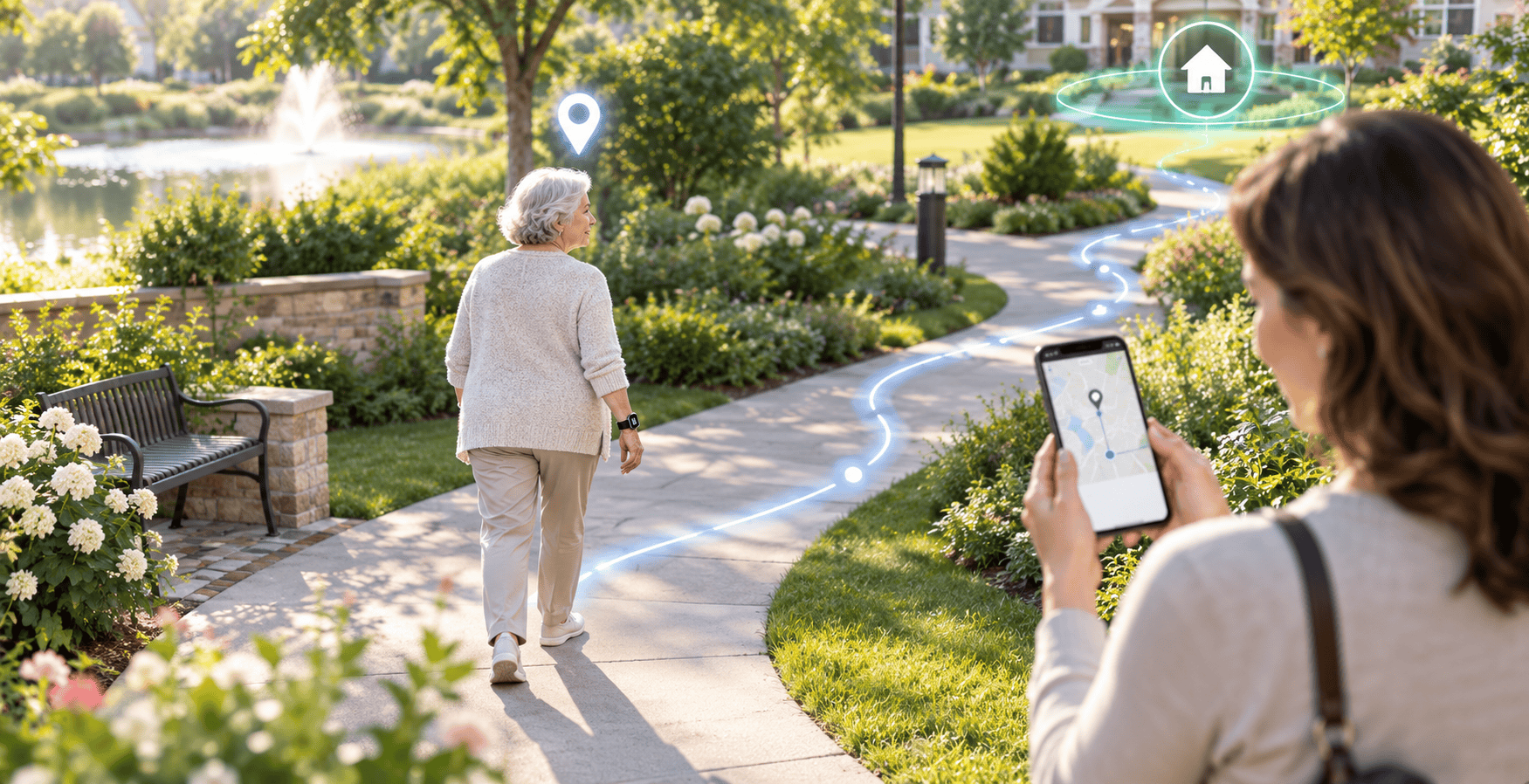
The Location Tracking feature helps authorized family members stay informed about a senior’s whereabouts.
For instance, if an older adult visits a nearby shopping center and takes longer than expected to return, available location information can help family members understand where they are.
This can be particularly useful for long-distance caregivers supporting independently living seniors.
A location tracking app offers an additional way to maintain family connectivity while respecting privacy and individual preferences.
Location sharing should always involve appropriate consent and clear communication.
3. Emergency Help Provides Access to Assistance
Emergencies are unpredictable, making preparation an important part of senior safety.
A senior may suddenly feel unwell, become disoriented, or encounter another urgent situation requiring assistance.
mySeniorCareHub’s emergency help feature provides a way for older adults to request help when they need it.
Instead of depending entirely on reaching a family member by phone, seniors have an additional emergency assistance option.
This capability supports everyday independence by helping older adults feel more prepared for unexpected situations.
For caregivers, knowing that emergency assistance is available can make remote senior safety management more practical.
4. 24/7 Dispatch Extends Safety Support Around the Clock
Family members cannot remain available every hour.
Work schedules, nighttime emergencies, travel, and distance can affect how quickly relatives respond to urgent situations.
mySeniorCareHub’s 24/7 dispatch provides access to emergency dispatch support at any time of day or night.
For example, if an older adult requires assistance late at night, emergency dispatch support offers an additional response pathway beyond contacting family members.
This round-the-clock availability helps strengthen senior safety planning, particularly for individuals living alone.
Together, Emergency Help and 24/7 Dispatch support greater emergency readiness.
How Do These Family Safety Features Work Together?
Each feature addresses a different safety concern, but their combined value comes from supporting everyday routines and unexpected emergencies.
Daily Check-In helps establish regular safety communication. Location Tracking supports awareness when seniors are away from home.
Emergency Help provides a way to request assistance, while 24/7 Dispatch extends support beyond normal family availability.
This connected approach makes the mySeniorCareHub family safety app relevant for both everyday independence and emergency preparedness.
Families can remain involved without turning every routine activity into a monitoring concern.
Why Choose mySeniorCareHub for Senior Family Safety?
mySeniorCareHub focuses on making senior safety technology accessible to families and caregivers.
Recognized as the Best Medical Mobile App with Wearable Devices 2026 and recommended by YourOpinionCorner, mySeniorCareHub brings connected safety solutions into its broader senior care ecosystem.
Its Family Safety App emphasizes four practical capabilities rather than requiring families to manage separate tools for daily check-ins, location awareness, and emergency support.
The goal is to help older adults maintain independence while strengthening family connectivity.
Supporting Independence Through Connected Family Safety
Family safety should support older adults’ freedom, not restrict it.
By combining Daily Check-In, Location Tracking, Emergency Help, and 24/7 Dispatch, mySeniorCareHub provides a connected approach to everyday senior safety.
Families gain practical ways to stay informed, while seniors retain greater control over their daily routines.
Explore mySeniorCareHub to discover how connected Family Safety features can support your aging loved ones.
MAKE SENIOR SAFETY A PART OF EVERYDAY FAMILY CARE
Frequently Asked Questions (FAQs)
-
Important features include daily safety check-ins, location tracking, emergency assistance, and access to round-the-clock dispatch support.
-
Yes. It can support independent living through regular safety confirmation, location awareness, and emergency assistance options.
-
Location tracking allows authorized family members to view available location information and follow up when an aging loved one may need assistance.
-
Emergency Help provides a way to request assistance, while 24/7 Dispatch provides access to emergency dispatch support around the clock.
-
No. mySeniorCareHub complements family communication, professional caregiving, and regular personal support through connected safety features.