Best Senior Monitoring Systems: 10 Solutions Compared (2026)

Choosing the right senior monitoring system helps older adults maintain independence while allowing families to stay connected with their health, safety, and everyday well-being. Modern senior monitoring solutions go beyond emergency buttons, offering GPS tracking, fall detection, health monitoring, medication reminders, wellness insights, and family sharing.
Some platforms focus mainly on emergency response, while others provide a more connected approach to senior wellness and family safety. This guide compares 10 senior monitoring systems in 2026, highlighting their features, benefits, and ideal use cases to help families find the right solution.
STAY CLOSE TO THEIR SAFETY, EVEN FROM ANOTHER CITY
Choose a Family Safety App that helps you stay connected with real-time location tracking, daily check-ins, and safety alerts.
What Is a Senior Monitoring System?
A senior monitoring system is a connected technology solution that helps families and caregivers monitor an older adult’s safety, health, wellness, and daily activities. These systems may include wearable devices, mobile applications, GPS trackers, and in-home monitoring equipment.
Common features include:
- Fall detection: Identifies potential falls and sends alerts.
- GPS tracking: Helps family members check a senior’s location.
- Emergency SOS: Provides access to emergency assistance.
- Health monitoring: Tracks vital signs, sleep, and physical activity.
- Medication reminders: Helps seniors maintain medication schedules.
- Family sharing: Keeps family members connected through shared updates.
- Wellness monitoring: Provides insights into everyday health and lifestyle patterns.
10 Best Senior Monitoring Systems Compared in 2026
1. mySeniorCareHub – Best All-in-One Senior Wellness, Safety and Family Monitoring Platform
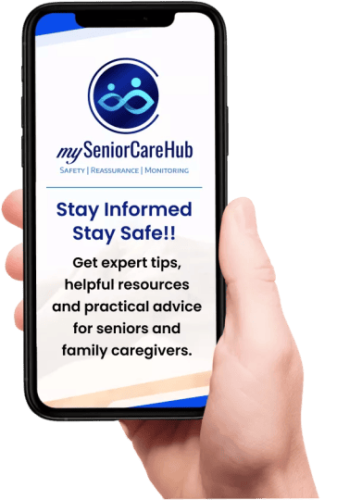
mySeniorCareHub offers a comprehensive senior care ecosystem that brings wellness monitoring, family safety, and family sharing together in one connected platform. Instead of focusing exclusively on emergency alerts, it supports everyday senior well-being while helping families remain informed and involved. Its connected mobile applications, wearable devices, and in-home monitoring solutions help families manage different aspects of senior care.
Key features:
- Real-time GPS location tracking: Helps families monitor location and receive safety alerts.
- SOS emergency notifications and fall detection: Supports faster awareness and response during emergencies.
- Family sharing and caregiver updates: Keeps authorized family members and caregivers connected.
- Daily check-ins and senior activity monitoring: Helps families stay informed about everyday safety and routines.
- Medication reminders and adherence tracking: Supports consistent medication schedules.
- Vital monitoring: Supports tracking of blood pressure, heart rate, SpO2, and other available health measurements.
- Sleep tracking and wellness insights: Provides greater visibility into sleep and everyday wellness patterns.
- Kiara AI Health and Care Companion: Brings health, safety, wellness, and family care information together.
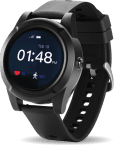
- SafeLynk devices: Includes smartwatch, locket, and in-home monitoring options for different senior safety needs.
Why consider it: mySeniorCareHub combines three essential aspects of senior care: wellness, family safety, and family sharing. Families can stay connected with loved ones, monitor important health and safety information, and support independent living through one integrated ecosystem.
2. Medical Guardian – Best for Advanced Medical Alerts
Medical Guardian provides medical alert systems designed for older adults who need reliable emergency assistance.
Key features:
- 24/7 emergency monitoring
- Mobile GPS-enabled devices
- Fall detection options
- Two-way voice communication
Why consider it: Suitable for seniors who prioritize emergency assistance and wearable medical alert devices.
3. Bay Alarm Medical – Best for In-Home Monitoring
Bay Alarm Medical offers home-based and mobile medical alert systems.
Key features:
- In-home emergency monitoring
- Cellular and landline options
- Mobile GPS tracking
- Optional automatic fall detection
Why consider it: A useful option for seniors who primarily need emergency protection at home.
4. MobileHelp – Best for Seniors Who Travel
MobileHelp provides medical alert devices for seniors who need protection at home and while travelling.
Key features:
- Mobile GPS-enabled monitoring
- Emergency response button
- In-home medical alert systems
- Optional fall detection
Why consider it: Its mobile solutions support older adults who regularly walk, shop, or travel independently.
5. LifeFone – Best for Flexible Alert Options
LifeFone offers personal emergency response systems with wearable pendants, wristbands, and mobile devices.
Key features:
- 24/7 emergency monitoring
- Optional fall detection
- GPS-enabled mobile devices
- Caregiver notification options
Why consider it: Its device variety accommodates different mobility and monitoring requirements.
6. Lifeline – Best for Emergency Response
Lifeline focuses on connecting seniors with emergency assistance through wearable and home-based medical alert devices.
Key features:
- 24/7 emergency response
- Automatic fall detection options
- Home and mobile devices
- Two-way communication
Why consider it: Suitable for older adults living independently who need access to emergency assistance.
7. Lively – Best for Mobile Senior Safety
Lively offers mobile safety devices and emergency assistance services designed for older adults.
Key features:
- Emergency response access
- Mobile connectivity
- Location-related safety features
- Caregiver support through compatible services
Why consider it: A suitable option for seniors who prefer portable safety devices.
4. Look for SOS Support During Emergencies
One of the most important features to compare when choosing a family safety app is emergency assistance.
An SOS feature can give an aging parent a direct way to send an alert when they feel unsafe or need help. Depending on the service, connected caregivers may receive notifications and relevant information that helps them respond.
Before purchasing or subscribing, understand exactly how SOS works. Ask who receives the alert, whether location information is included, whether professional emergency support is available, and what happens if the primary caregiver cannot respond.
These details matter more than simply seeing “SOS” on a feature list.
5. Connect Multiple Family Caregivers
Long-distance caregiving should not depend entirely on one person.
If you have siblings, relatives, or trusted caregivers, look for an app that allows multiple people to stay connected. Shared access can make it easier to coordinate responsibilities when someone receives an alert or notices an unusual change.
One person might handle daily check-ins while another lives closer and can respond physically when necessary.
This shared approach can make remote caregiving more manageable.
6. Compare More Than Basic Location-Sharing Apps
Google Maps and other general location-sharing services can show where someone is, but senior safety often involves more than a map pin.
When buying a dedicated solution, consider whether it combines:
- Real-time GPS location sharing
- Geofencing notifications
- Location history
- SOS safety alerts
- Daily wellness check-ins
- Multiple caregiver connections
- Simple senior-friendly navigation
- Clear privacy controls
The best choice should match your parent’s routine and comfort with technology rather than simply offering the longest feature list.
Why Consider the mySeniorCareHub Family Safety App?
mySeniorCareHub Family Safety App is designed around connected senior safety rather than basic location sharing alone.
Families can use features such as real-time location tracking, geofencing, location history, Daily Check-In, SOS alerts, and caregiver connectivity to stay informed while supporting an aging parent’s independence.
This combination is especially useful for adult children who live in another city because different safety needs can be managed through one connected platform instead of several unrelated apps.
mySeniorCareHub is trusted by 2,000+ families worldwide and has a 4.7-star user rating, industry recognition, and 24/7 U.S.-based support, providing additional confidence for families comparing senior-focused safety solutions.
Stay Connected Without Taking Away Independence
Living in another city does not mean you need to choose between constantly checking on your parent and knowing nothing until something goes wrong.
The right family safety app can provide location awareness, routine check-ins, emergency alerts, and caregiver connectivity while allowing your parent to continue their everyday life with greater independence.
Before choosing one, focus on the situations that worry you most. Then compare location tracking, geofencing, SOS support, daily check-ins, privacy, ease of use, and caregiver access.
Technology cannot replace being physically present, but the right safety tools can make distance easier to manage and help your family stay connected when it matters most.
MILES APART. STILL CONNECTED TO THEIR SAFETY.
Frequently Asked Questions (FAQs)
-
A family safety app can help you stay connected through GPS location sharing, daily check-ins, safety notifications, and emergency features while allowing your parent to continue living independently.
-
Look for an app designed for senior safety with real-time GPS tracking, geofencing, SOS alerts, daily wellness check-ins, multiple caregiver access, and clear privacy controls.
-
Yes. With your parent’s consent, a GPS-enabled safety app can provide location updates remotely. Some apps also offer geofencing alerts when a connected parent enters or leaves a designated safe zone.
-
Daily check-in technology can allow a parent to confirm they are okay with a simple check-in. If the expected check-in is missed, connected family members can be notified depending on the service.
-
Prioritize GPS location sharing, geofencing, SOS functionality, daily check-ins, caregiver connectivity, simple navigation, and privacy controls. Choose features that fit your parent’s actual routine rather than selecting an app solely based on the longest feature list.