Family Sharing Apps for Seniors: Share Location, Health Updates and Safety Alerts

Caring for aging parents becomes challenging when family members live in different cities or have busy schedules. You may wonder whether your mother reached her doctor’s appointment, remembered her medication, or needs help at home.
A family sharing app for seniors can make everyday communication easier by helping trusted family members access location information, share health updates, and stay informed about important safety alerts.
Instead of relying on constant phone calls, families can use connected technology to support older adults while respecting their independence.
But which features actually matter, and how do you choose the right app?
KEEP YOUR AGING PARENTS SAFE, CONNECTED & INDEPENDENT
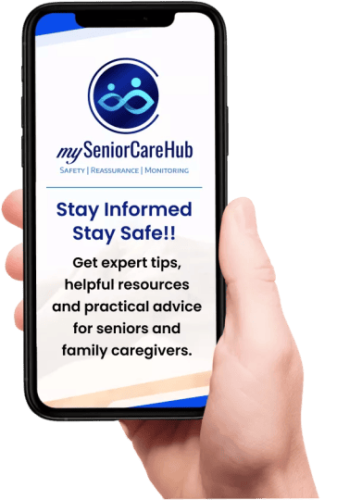
Stay informed about your loved ones’ everyday safety, even when you’re miles apart. With mySeniorCareHub’s Family Safety App, families can stay connected through simple safety tools and access emergency assistance when needed.
What Is a Family Sharing App for Seniors?
A family sharing app for seniors is a digital tool that helps older adults share selected safety, location, and wellness information with authorized family members or caregivers.
Depending on the platform, it may include:
- GPS location sharing
- Health updates and wellness records
- Daily safety check-ins
- Emergency SOS alerts
- Medication reminders
- Family caregiver notifications
Unlike basic messaging apps, dedicated family caregiver apps can organize important information and make it easier to coordinate support.
However, not every app includes all these capabilities. Some specialize in location tracking, while others focus on health information or emergency assistance.
Why Do Seniors and Caregivers Need Family Sharing Apps?
Many older adults prefer aging in place rather than moving into assisted living.
For families, the challenge is staying connected without making seniors feel constantly monitored.
A senior monitoring app can help address common concerns, including missed check-ins, unexpected emergencies, and difficulty coordinating care between relatives.
For example, an adult daughter living in California may want occasional location updates from her father in Florida. Meanwhile, her brother may help manage appointments and medication schedules.
With the right family-sharing tools, both can stay informed without repeatedly contacting their father.
The goal is to make family communication more organized, not replace personal caregiving.
5 Essential Features of a Family Sharing App for Seniors
1. GPS Location Sharing for Aging Parents
A GPS tracking app for seniors allows older adults to share their location with trusted family members.
This is particularly useful when seniors travel independently, attend appointments, or go for daily walks.
For example, if your mother takes longer than expected to return from a shopping trip, location sharing may help you check her last reported position.
What to look for: Consent-based sharing, reliable updates, location permissions, and compatibility with Android and iOS.
Remember that GPS accuracy depends on the device, battery, network connectivity, and environment.
2. Health Data Sharing With Family Members
A health data sharing app can help families organize important wellness information.
Depending on the service, seniors may share:
- Blood pressure or heart rate records
- Medication schedules
- Activity and wellness updates
- Relevant health history
- Information for upcoming appointments
These features can be especially useful for long-distance caregivers coordinating support.
However, recorded health measurements should not be treated as medical diagnoses. Families should discuss concerning results with qualified healthcare professionals.
3. Daily Safety Check-Ins
For seniors living alone, regular safety confirmation can provide valuable reassurance.
A daily check-in app for seniors allows older adults to confirm their safety at scheduled times.
Some services also notify designated family contacts when a check-in is missed.
For instance, if your father normally checks in every morning but forgets one day, a notification can prompt someone to contact him.
This approach supports regular communication without requiring continuous monitoring.
4. Emergency SOS Alerts and Assistance
Emergencies can occur unexpectedly, especially when older adults live independently.
An emergency alert app for seniors provides a way to request assistance quickly.
Depending on the provider, emergency features may notify relatives or connect users with professional dispatch services.
A basic family location-sharing app should not automatically be considered equivalent to a professionally monitored medical alert system.
Before subscribing, confirm who receives emergency alerts, how assistance is coordinated, and whether additional monitoring fees apply.
5. Medication Reminders and Family Wellness Updates
Managing multiple medications can be difficult when prescriptions have different schedules.
A medication reminder app for seniors can provide scheduled notifications and help organize medication routines.
Some services also allow authorized caregivers to view recorded medication activity.
Combined with family wellness updates, these tools can make it easier to coordinate everyday care.
However, a recorded reminder acknowledgment does not necessarily confirm that medication was taken correctly.
Best Family Sharing Apps for Seniors in 2026: Quick Comparison
Different apps address different family caregiving needs.
| App or Service | Best For | Main Capabilities |
|---|---|---|
| mySeniorCareHub | Connected senior safety and wellness | Safety check-ins, location tracking, emergency assistance, separate wellness tools |
| Life360 | Family location sharing | Shared location map, place alerts, family safety features |
| Apple Find My | Apple device users | Consent-based location sharing and arrival notifications |
| CaringBridge | Family health communication | Health journey updates and family support |
| Medisafe | Medication management | Medication reminders and selected caregiver notifications |
| Caring Village | Care coordination | Shared caregiving tasks, records, and communication |
Features, subscriptions, and device compatibility vary. Check each provider’s current offerings before choosing.
For families primarily concerned about location, Life360 or Apple Find My may be sufficient.
For organizing health updates, CaringBridge offers a different approach.
Families needing medication reminders may prefer a dedicated medication management tool.
Those seeking everyday senior safety alongside wellness support should consider whether a broader connected ecosystem better matches their needs.
How mySeniorCareHub Supports Family Safety and Health Sharing
mySeniorCareHub offers connected solutions designed to help seniors remain independent while keeping families informed.
Its Family Safety App focuses on four core capabilities:
Daily Check-In: Helps seniors confirm their everyday safety.
Location Tracking: Supports location awareness for authorized family members.
Emergency Help: Provides access to emergency assistance.
24/7 Dispatch: Offers emergency dispatch support when urgent assistance is needed.
Beyond these four Family Safety App features, the broader mySeniorCareHub ecosystem includes separate wellness solutions.
Families can explore the Location Tracking App, Daily Safety Check-In and Emergency Dispatch, Medication Reminder, and Vital Monitoring solutions.
This approach allows families to explore safety and wellness tools based on their individual caregiving requirements.
How to Choose the Best Family Sharing App for Elderly Parents
Before selecting an app, consider these five questions:
- Does your parent live alone? Prioritize daily check-ins and dependable emergency assistance.
- Do they travel independently? Consider GPS location sharing with appropriate privacy controls.
- Do multiple relatives coordinate care? Look for authorized family access and organized health updates.
- Are medication routines challenging? Explore dedicated medication reminder tools.
- Is professional emergency support necessary? Confirm whether the service offers 24/7 dispatch or only family notifications.
Also evaluate ease of use, subscription costs, notification reliability, and smartphone compatibility.
Most importantly, involve your aging parent in the decision. Sharing personal information should be based on clear consent and mutual understanding.
Are Family Sharing Apps Safe for Seniors?
Family sharing apps can be useful when they provide transparent privacy controls and secure account access.
Before enabling location or health sharing, review who can access the information, how permissions work, and whether sharing can be stopped.
Also evaluate ease of use, subscription costs, notification reliability, and smartphone compatibility.
Use strong passwords and available account security features.
Avoid apps that encourage hidden tracking of adults or request unnecessary access to sensitive information.
A reliable family-sharing solution should support independence rather than create unwanted surveillance.
Final Thoughts
A family sharing app for seniors can make it easier to share location information, coordinate health updates, and respond to important safety concerns.
However, the best solution depends on what your family actually needs.
Some households only require basic location sharing, while others benefit from daily check-ins, emergency assistance, medication reminders, and connected wellness tools.
For families seeking a broader approach, mySeniorCareHub offers senior safety and wellness solutions designed to support independent living and family connectivity.
ONE CONNECTED SOLUTION FOR SENIOR SAFETY & WELLNESS
Frequently Asked Questions (FAQs)
-
The best app depends on your needs. Life360 focuses on location sharing, CaringBridge supports family health updates, and mySeniorCareHub provides connected senior safety solutions alongside separate wellness tools.
-
Yes. Compatible location-sharing apps allow authorized relatives to view an older adult’s location when sharing is enabled and the device has the necessary permissions and connectivity.
-
Yes. Selected health and caregiver apps support sharing wellness records, medication information, or family updates with authorized contacts.
-
Yes. Some services offer free location sharing or basic family communication. Advanced safety features and professional emergency monitoring may require paid subscriptions.
-
Some can. Depending on the service, emergency alerts may notify trusted contacts or connect users with professional emergency dispatch.