How to Stay Connected With Aging Parents Through Family Safety Technology

Your mom doesn’t answer her phone for several hours. You know she enjoys her independence, but you can’t help wondering whether everything is okay.
For families living away from aging parents, situations like this can create unnecessary worry. Calling repeatedly may feel intrusive, while waiting for a response can be stressful.
Fortunately, technology for elderly parents offers practical ways to stay connected without interrupting their daily routines. From video calls and shared calendars to safety check-ins and emergency assistance, the right tools can make communication easier while supporting independence.
STAY CLOSE TO YOUR AGING PARENTS, EVEN WHEN YOU’RE MILES AWAY
Distance shouldn’t mean worrying about your loved ones’ everyday safety. With mySeniorCareHub’s Family Safety App, stay connected, receive important safety updates, and support your parents’ independence.
Why Staying Connected With Aging Parents Matters
Staying connected means more than knowing where your parents are. It involves understanding how they’re feeling, maintaining relationships, and recognizing when additional support may be needed.
According to AARP’s 2026 technology research, smartphone ownership among Americans aged 50 and older reached 90% in 2025.
This growing familiarity creates opportunities for families to use everyday technology for communication and caregiving.
However, technology works best when it supports personal conversations rather than replacing them.
7 Practical Ways to Stay Connected With Elderly Parents Using Technology
1. Make Video Calls Part of Your Weekly Routine
Video calls help families maintain meaningful connections beyond ordinary phone conversations.
Apps such as FaceTime, WhatsApp, and Zoom allow older adults to see family members, share experiences, and participate in important moments.
Instead of calling only to ask whether everything is okay, schedule relaxed conversations about hobbies, family updates, or upcoming plans.
Practical tip: Choose one familiar video-calling app and create a recurring weekly schedule.
2. Use Daily Safety Check-Ins Without Constant Calling
Sometimes, families simply want reassurance that an aging parent is doing well.
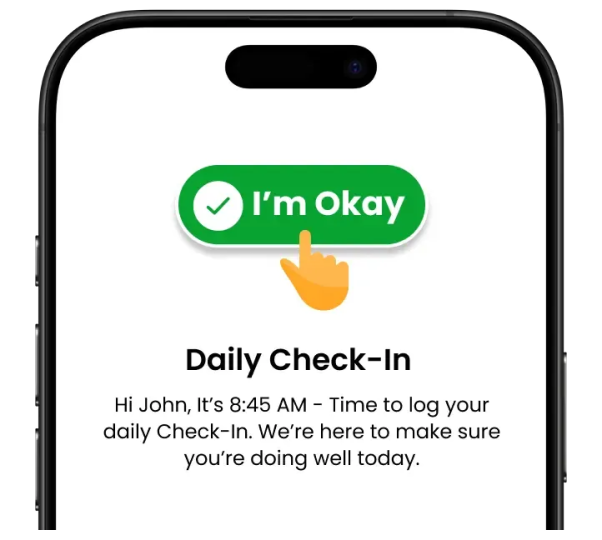
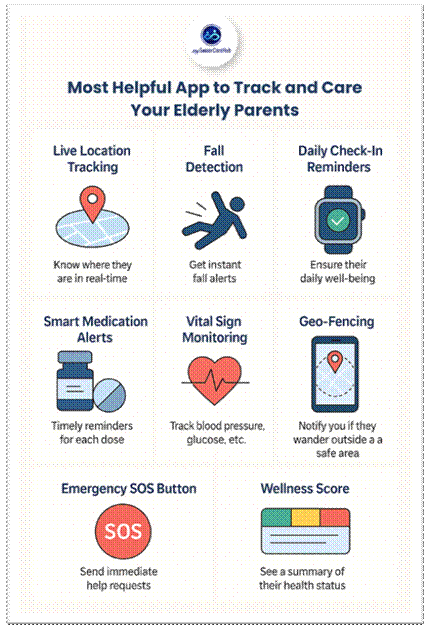
A daily check-in app for seniors allows older adults to confirm their safety through a scheduled interaction.
This can be especially helpful for seniors living alone or families managing long-distance caregiving.
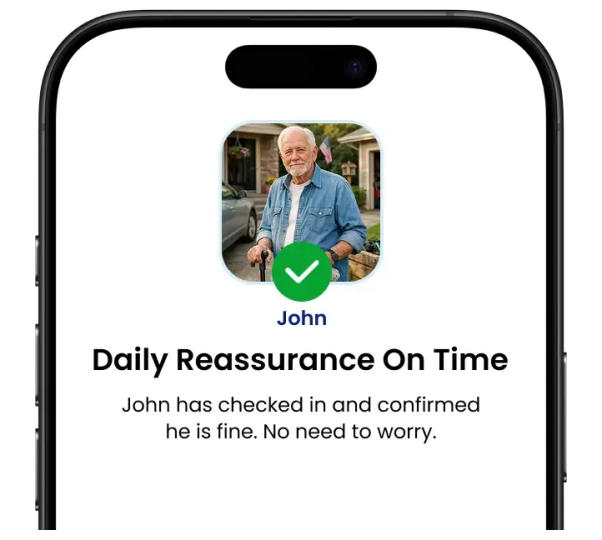
For example, your father might complete a morning check-in before beginning his daily activities.
If a check-in is missed, compatible services may notify designated contacts so someone can follow up.
This provides an additional communication channel without requiring repeated calls.
3. Share Locations When Parents Travel Independently
Many seniors continue driving, shopping, walking, and attending appointments independently.
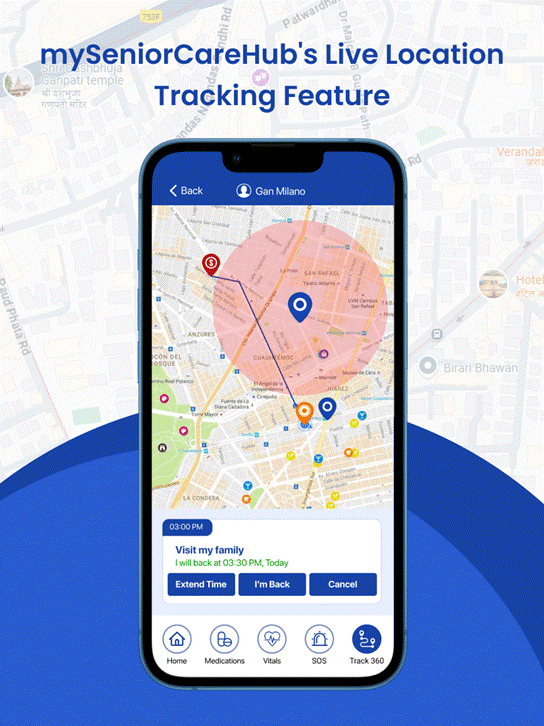
A GPS tracking app for elderly parents can help trusted family members view shared location information when necessary.
For example, if your mother is traveling to a medical appointment, consent-based location sharing can provide reassurance about her journey.
However, GPS tracking should never become unwanted surveillance.
Discuss location-sharing expectations, explain who can access the information, and respect your parent’s preferences.
4. Coordinate Appointments With Shared Digital Calendars
When multiple relatives support an aging parent, appointments and responsibilities can become difficult to organize.
Shared calendars help families coordinate:
- Doctor appointments and follow-ups
- Transportation arrangements
- Family visits
- Medication refill dates
- Important household tasks
Google Calendar and similar tools allow authorized family members to stay informed about upcoming responsibilities.
For long-distance caregivers, this reduces confusion and helps distribute tasks more fairly.
5. Use Medication Reminders to Support Everyday Routines
Remembering medication schedules can become challenging, especially when several prescriptions require different timings.
A medication reminder app for seniors can provide scheduled notifications and help organize daily routines.
Some dedicated applications also support selected caregiver updates.
However, medication reminders should supplement, not replace, professional medical guidance.
Families should also confirm that their parents understand how to use the app independently.
6. Prepare for Emergencies With Connected Safety Tools
Staying connected also means having a plan when normal communication isn’t possible.
Medical alert systems for seniors and emergency SOS tools can provide additional ways to request assistance.
Depending on the device or service, options may include emergency buttons, fall detection, caregiver notifications, or professional dispatch.
For example, an older adult who experiences an emergency at home may need a faster way to request help than searching for a phone contact.
Before purchasing, verify coverage, response procedures, device requirements, and subscription costs.
7. Create a Family Communication and Emergency Plan
Technology becomes more effective when everyone understands how to use it.
Establish a simple communication plan that answers three questions:
- When should family members expect regular updates?
- Who should respond when a scheduled check-in is missed?
- What happens if an emergency alert is received?
Keep emergency contacts, nearby relatives, and healthcare information organized and accessible to authorized caregivers.
A clear plan helps avoid confusion when someone needs assistance.
Which Technology Is Best for Your Aging Parents?
Not every family needs the same tools.
| Family Concern | Helpful Technology |
|---|---|
| Feeling disconnected | Video calling and messaging apps |
| Parent living alone | Daily safety check-in app |
| Independent travel | Consent-based GPS location sharing |
| Missed appointments | Shared digital calendar |
| Medication schedules | Medication reminder app |
| Emergency preparedness | Medical alert system or SOS app |
| Multiple family caregivers | Shared caregiving tools |
The best technology for elderly parents depends on their lifestyle, comfort with smartphones, and specific support needs.
Start with one or two useful tools rather than introducing several complicated applications simultaneously.
How mySeniorCareHub Helps Families Stay Connected With Aging Parents
mySeniorCareHub offers connected safety solutions designed to support older adults and their families.
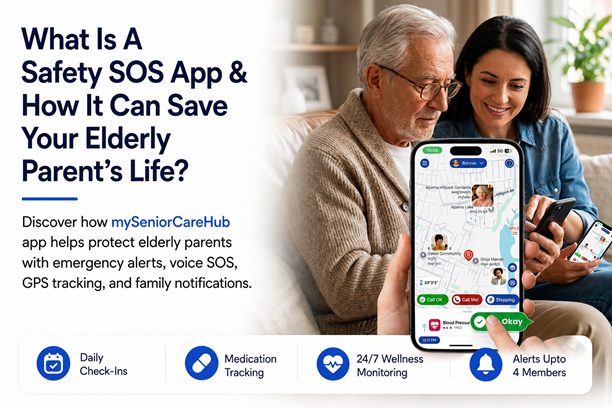
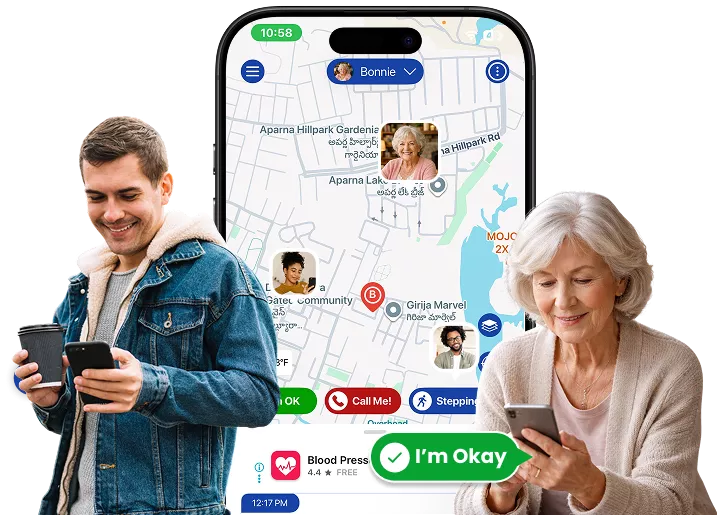
Its Family Safety App focuses on four core capabilities:
- Daily Check-In: Helps seniors confirm their everyday safety.
- Location Tracking: Supports authorized family location awareness.
- Emergency Help: Provides access to emergency assistance.
- 24/7 Dispatch: Offers emergency dispatch support.
For example, a daughter living in another state can stay connected through regular check-ins while respecting her father’s independent routine.
When additional safety support is needed, emergency assistance provides another option.
Families can explore the Daily Safety Check-In and Emergency Dispatch and Location Tracking App.
The broader mySeniorCareHub ecosystem also includes separate wellness tools and SafeLynk medical alert devices.
How to Introduce New Technology Without Overwhelming Your Parents
Start by discussing what your parents actually want help with.
Rather than presenting technology as a monitoring solution, explain how it could make everyday communication easier.
Choose applications with readable text, straightforward navigation, and minimal setup requirements.
Demonstrate one feature at a time and allow your parents to practice independently.
Most importantly, respect their privacy and involve them in decisions about sharing personal information.
Final Thoughts
Staying connected with aging parents doesn’t require constant calls or complicated monitoring systems.
The right combination of video communication, daily check-ins, location sharing, medication reminders, and emergency preparedness can help families maintain meaningful relationships while supporting independence.
With connected solutions from mySeniorCareHub, families can explore additional safety tools that complement everyday communication.
The goal is simple: help aging parents feel supported, connected, and confident living independently.
GIVE YOUR PARENTS MORE INDEPENDENCE AND YOUR FAMILY MORE PEACE OF MIND
Frequently Asked Questions (FAQs)
-
Useful options include daily check-in apps, medical alert systems, video calling, and medication reminders. The best combination depends on the parent’s routine and safety needs.
-
Schedule regular video calls, use shared calendars, establish daily safety check-ins, and create a family emergency communication plan.
-
Agree on regular communication times, use voluntary safety check-ins, and discuss location-sharing preferences before enabling tracking.
-
Emergency SOS apps, monitored medical alert systems, and compatible fall detection devices can help older adults request assistance.