The desire to “age in place” allows you to keep the memories and independence of home. However, finding the right tips for seniors living alone is essential to ensure that your safety and peace of mind are never compromised during an emergency.
Did you know that according to the CDC, over 14 million elderly people fall each year, leading to serious injuries like hip fractures and head trauma? It’s a sobering statistic, but it’s not meant to scare you; it’s meant to prepare you.
The key to safe and confident independent living is not just luck; it’s proactive planning and implementing smart safety strategies. Here are the crucial steps you should take today to secure your home and your peace of mind.
1. Fall-Proof Your Home: The #1 Priority
Falls are the leading cause of injury among older adults. The good news? Most falls are preventable with simple changes. Go through your home room by room with this mindset.
Area
Top Hazards to Remove
Safety Solutions to Install
Floors & Walkways
Loose throw rugs, cluttered pathways, electrical cords across the floor.
Secure all rugs with double-sided tape or non-slip backing. Keep all walkways clear of clutter and furniture.
Bathroom
Wet, slippery floors; no support near the toilet or tub.
Install grab bars near the toilet and inside the shower/tub. Use non-slip mats inside and outside the shower. Consider a shower chair.
Lighting
Dim rooms, hard-to-reach light switches, dark hallways at night.
Install motion-sensor nightlights in hallways and bathrooms.
Stairs
Slippery steps, no handrail, poor lighting.
Install sturdy handrails on both sides of the staircase. Ensure all steps are well-lit.
2. Emergency Preparedness & Communication
One of the most vital tips for seniors living alone is having a communication “Plan B.” When an emergency strikes, every second counts.
Emergency Contact List: Post a list of essential numbers (911, physician, trusted neighbor) next to every phone.
Fire Safety Check: Test your smoke and carbon monoxide detectors every six months. Keep an easily accessible, functioning fire extinguisher in the kitchen.
Security: Always use a peephole and consider a smart lock box so first responders can enter if you are unable to reach the door.
3. Health & Medication Management
Staying on top of your health is a crucial part of personal safety, especially when you are on your own.
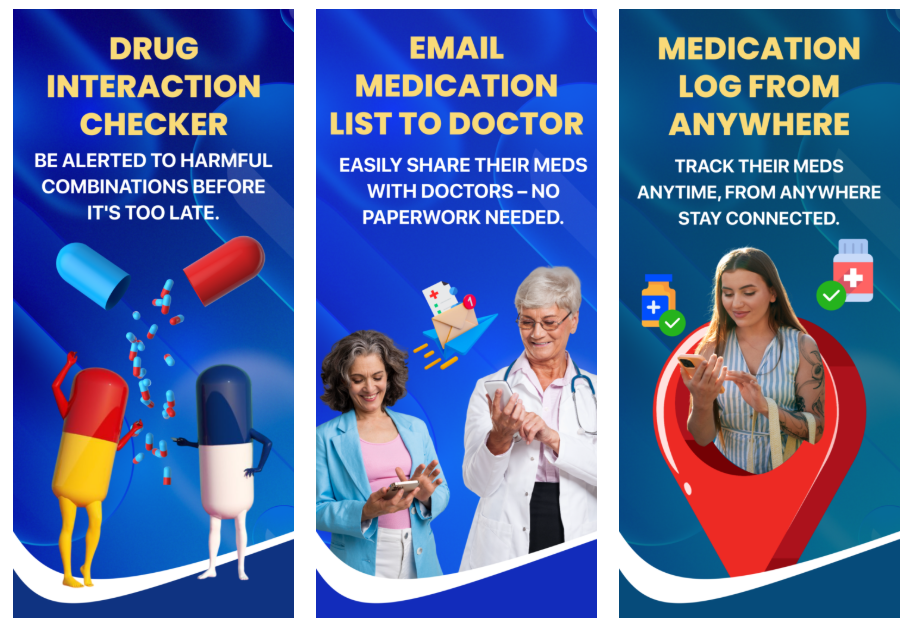
Medication Review: Schedule a regular review of all your medications with your doctor or pharmacist. Some drug combinations can cause dizziness, which increases your risk of falling.
Pill Organizers: Use a daily or weekly pill organizer to prevent missed or doubled doses.
Hydration & Nutrition: Dehydration impacts balance. Set reminders to drink water and eat nutrient-dense meals to maintain muscle strength.
4. Stay Connected, Defeat Isolation
Isolation isn’t just a social issue; it’s a safety issue. A strong social network serves as a vital safety net.
Daily Check-Ins: Ask a trusted friend, neighbor, or family member to call or stop by at a pre-arranged time each day. This simple routine ensures someone will know quickly if something is wrong.
Get Social: Join a local club, take an exercise class (like senior yoga or walking groups), or volunteer. Staying active and engaged is one of the best ways to keep your mind and body healthy.
Your Lifeline: The Power of a Medical Alert Device
We can take every precaution, but accidents still happen. Even with the best tips for seniors living alone, you need a way to call for help if you can’t reach your phone. This is where a reliable Medical Alert Device becomes the ultimate tool for independence.
At mySeniorCareHub, we recommend embracing technology designed specifically for the needs of seniors. Our SafeLynk devices offer a solution that is discreet, reliable, and powerful.
SafeLynk Device Feature
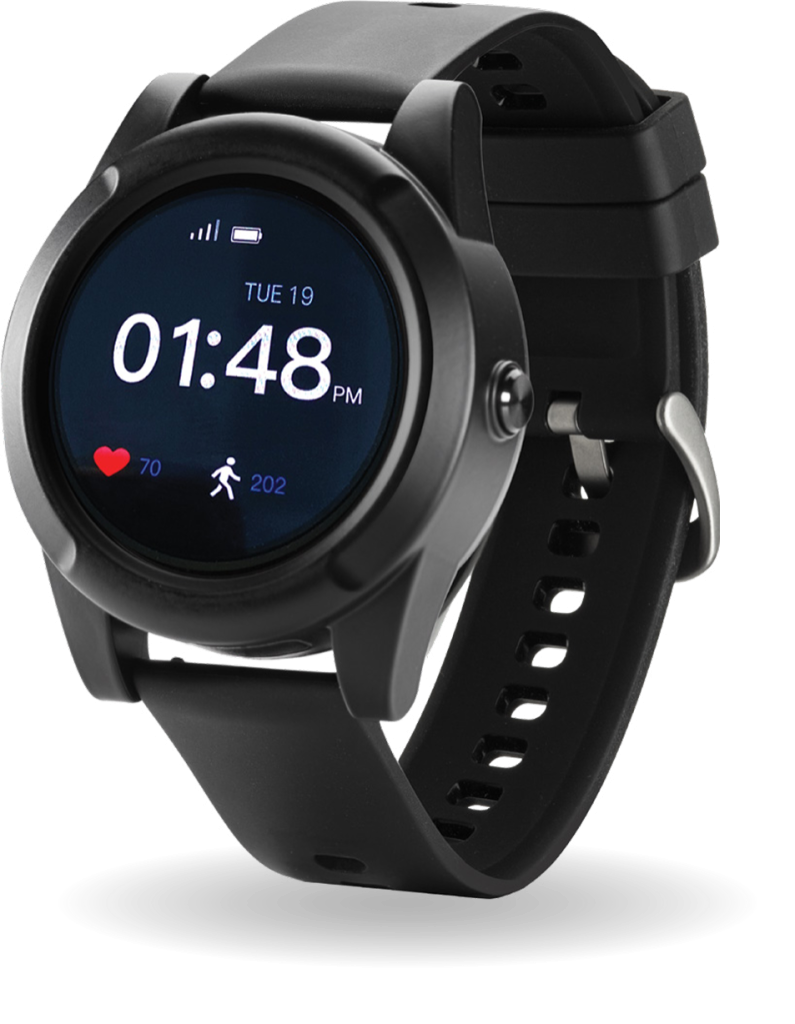
Smartwatch
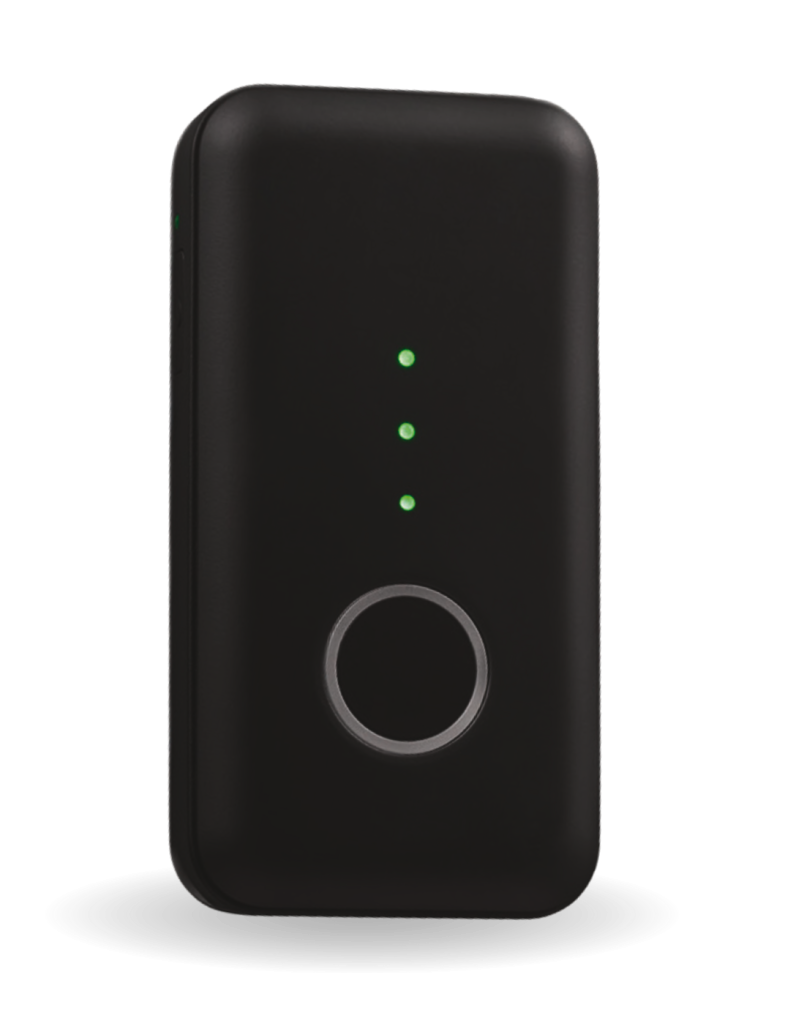
Locket/Pendant
Automatically alerts the monitoring center if a fall is detected, even if you are unable to press the button.
Emergency SOS Button
✅
✅
Instant, one-touch connection to a 24/7 monitoring center.
Automatic Fall Detection
✅
✅
Automatically alerts monitoring center if a fall is detected, even if you are unable to press the button.
Real-Time GPS Tracking
✅
✅
Provides exact location data to responders and family, especially useful if you are outside the home.
Two-Way Communication
✅
✅
Speak directly to a trained operator through the device.
Medication Reminders
✅
N/A
Helps ensure you never miss a dose.
A SafeLynk Medical Alert Device allows you to live life to the fullest, knowing that no matter where you are, help is always just a press away. It’s not a compromise on your independence; it is the foundation of it.
Ready to Boost Your Safety and Peace of Mind?
Don’t wait for an accident to happen. Take the proactive step toward secure, independent living today.
It’s a conversation many adult children and caregivers face: bringing up the idea of a Medical Alert Device with a parent or loved one.
You know it’s a vital safety net to give you peace of mind and, more importantly, offers them instant access to help if they fall or have a medical emergency.
But often, you’re met with resistance. “I don’t need that,” “It’s too expensive,” or the classic, “It makes me look old.” It can be frustrating, but understanding their point of view is the first step to a successful and calm conversation.
Here is your guide to approaching this sensitive topic with empathy and logic.
Start by Listening: What’s the Real Objection?
When your loved one says “no,” it’s rarely about the technology itself. A medical alert device can represent bigger fears about aging, losing independence, or becoming a burden. Before you present solutions, you need to hear their specific concerns.
Here are some common objections and how to gently reframe the discussion:
If They Say…
The Underlying Concern Is Often…
Your Gentle Reframe Should Be…
“I don’t need one, I’m fine.”
Fear of admitting frailty or aging.
“I know you’re active and independent, and that’s exactly why I want you to have this; it’s protection so you can keep doing the things you love, without worry.”
“They’re ugly and bulky.”
Stigma or fear of looking “old” or “sick.”
“I completely agree! The bulky ones are a thing of the past. We can look at stylish options that look like a normal watch or a nice piece of jewelry.”
“It’s an invasion of privacy.”
Feeling like they are being monitored constantly.
“This isn’t about tracking your every move. It’s about knowing you have a connection to help if you can’t reach a phone, whether that’s me, a neighbor, or emergency services.”
“What if I press it by accident?”
Fear of being a bother or wasting time.
“Accidental presses happen all the time! The operators are trained for it. They’ll just be relieved to know you’re okay. You’re never ‘wasting their time’ by being safe.”
Shift the Focus: From “Limitation” to “Freedom
The most effective way to talk about a Medical Alert Device is to stop focusing on what they can’t do and emphasize what the device allows them to continue doing.
Make it a Family Decision: Ask them to choose the device with you. Let them pick the style and features. This gives them a sense of control and makes them more likely to wear a device they selected.
Highlight Independence: Explain that the device is a tool for aging in place. It’s the assurance they need to keep living in their own home, gardening, taking walks, and being independent, knowing help is instantly available.
Use Facts, Not Fear: Instead of dwelling on scary scenarios, use objective facts. For instance, mention the CDC statisticthat one in four adults age 65 and older falls each year. This normalizes the risk without creating panic.
Modern Solution: Safety That Doesn’t Look Like Safety
Modern technology has revolutionized the Medical Alert Device. Today’s options are discreet, stylish, and packed with features that genuinely enhance an active lifestyle.
A key for overcoming the “ugly and bulky” objection. This is where you can turn a potentially difficult conversation into an easy acceptance. Our Recommended Solution: SafeLynk Devices.
For a Medical Alert Device that blends seamlessly with an active lifestyle, look no further than SafeLynk Devices. They have completely reinvented personal safety with options that prioritize both functionality and appearance.
SafeLynk Smart Watch: Looks and feels like a sleek, modern smartwatch, but is equipped with advanced features like GPS tracking, automatic fall detection, and an emergency SOS button, all with two-way audio. No one has to know it’s a medical device; it’s just a stylish watch.
SafeLynk Locket: For those who prefer a traditional necklace, the Locket offers a beautiful, discreet pendant that hides powerful technology, including fall detection and one-touch access to help, while looking like a thoughtful piece of jewelry.
SafeLynk Devices ensure that a Medical Alert Device is no longer a symbol of frailty, but a smart accessory that supports independence, mobility, and confidence.
Ready to give yourself and your loved one the ultimate peace of mind?
Explore the stylish SafeLynk Smart Watch and Locket and find the perfect Medical Alert Device solution today!
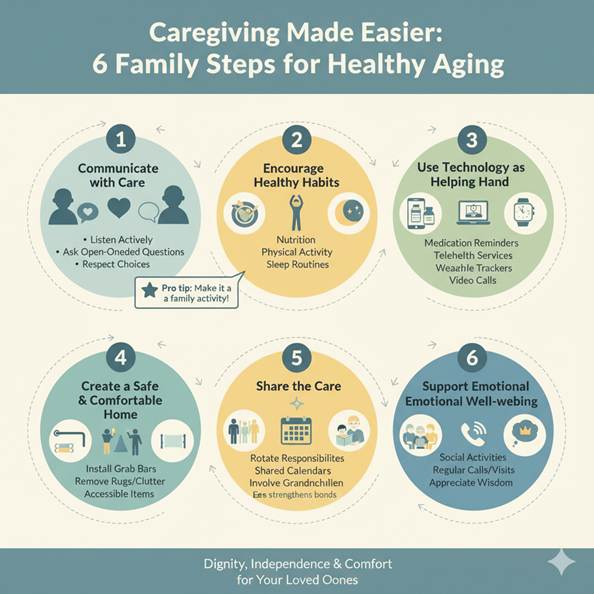
Aging is a natural part of life, but for many families, it brings new responsibilities. Parents who once cared for us now need our support — and while caregiving can feel overwhelming, it doesn’t have to be. With the right approach, families can make healthy aging not only possible but joyful.
Here’s how to make caregiving easier while ensuring dignity, independence, and comfort for your loved ones.
Step 1: Communicate with Care
Healthy aging starts with honest conversations. Parents may hesitate to express what they need, fearing they’ll be a burden. Families should:
Listen actively – Let parents share their concerns without interruption.
Ask open-ended questions – “What would make your day easier?” instead of “Are you okay?”
Respect their choices – Even if you disagree, allow parents to have a say in their care.
Step 2: Encourage Healthy Habits
Small lifestyle changes go a long way in keeping parents active and independent. Support them by:
Nutrition – Cook balanced meals or arrange meal-delivery options.
Physical activity – Encourage walking, yoga, or light stretching.
Sleep routines – Help them set a calm evening schedule for better rest.
Pro tip: Make it a family activity — join them for evening walks or cook healthy recipes together.
Step 3: Use Technology as a Helping Hand
Technology doesn’t replace love, but it can reduce stress for everyone. Consider:
Medication reminders (like camera-based apps) to avoid missed doses.
Telehealth services for quick doctor consultations.
Wearable trackers that monitor heart rate, steps, or sleep.
Video calls to keep parents connected with relatives and friends.
Step 4: Create a Safe and Comfortable Home
Home safety is essential for aging parents. Simple adjustments can prevent accidents:
Install grab bars in bathrooms.
Ensure good lighting in hallways and stairs.
Remove loose rugs or clutter to avoid falls.
Place frequently used items within easy reach.
Step 5: Share the Care
Caregiving is not a solo job — it works best as a team effort. Families can:
Rotate responsibilities – Share grocery runs, appointments, and daily check-ins.
Use shared calendars – Keep track of visits, medications, and appointments.
Involve grandchildren – Kids can read, play games, or simply keep grandparents company.
This teamwork eases stress and strengthens family bonds.
Step 6: Support Emotional Well-being
Healthy aging is not just physical; it’s also emotional. Loneliness is common among seniors. Families can:
Encourage social activities like clubs or religious gatherings.
Set up regular calls or visits.
Remind them of their value by appreciating their wisdom and experience.
Quick Comparison: Stressful vs. Supportive Caregiving
Stressful Approach
Supportive Approach
One person carries all responsibility
Family shares tasks
Parents feel dependent
Parents feel included
Reactive (fixing problems)
Proactive (preventing problems)
Tech avoided
Tech embraced wisely
Focus on illness
Focus on wellness
Real-Life Example
Ritu, 45, used to feel burned out managing her mother’s diabetes alone. Once she involved her siblings — one handled doctor visits, another managed medication apps, and Ritu focused on meals caregiving became lighter. Most importantly, her mother felt cared for, not controlled.
Final Takeaway
Caregiving doesn’t have to drain families. It can enrich relationships. By combining open communication, healthy routines, smart use of technology, and shared responsibilities, families can support parents in living healthier, happier, and more independent lives.
Healthy aging isn’t just about adding years to life, it’s about adding life to years.
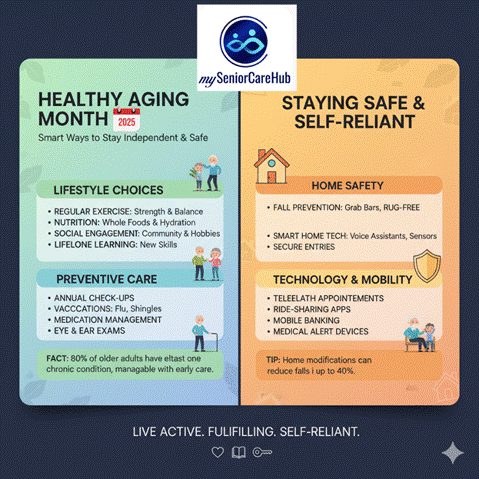
September is celebrated as Healthy Aging Month, a reminder that growing older doesn’t have to mean losing independence or quality of life. With the right lifestyle choices, preventive care, and a safe environment, seniors can continue to live active, fulfilling, and self-reliant lives.
This article explores smart ways to stay independent and safe, backed with facts, tips, and practical strategies.
Why Healthy Aging Matters
By 2050, nearly 1 in 6 people worldwide will be over the age of 65 (WHO).
Independence is strongly linked to better mental health, lower risk of depression, and higher life satisfaction among seniors.
Falls, chronic conditions, and isolation are the top barriers to independent living.
Smart Ways to Stay Independent & Safe
1. Prioritize Physical Health
Maintaining strength, flexibility, and balance helps reduce the risk of falls—the leading cause of injury among older adults.
Tips:
Engage in at least 150 minutes of moderate physical activity weekly (walking, swimming, yoga).
Add strength training twice a week to prevent muscle loss.
Stretch daily to improve flexibility.
Table: Benefits of Common Exercises for Seniors
Exercise Type
Example Activities
Key Benefits
Aerobic
Walking, cycling
Heart health, weight control
Strength Training
Resistance bands
Strong bones & muscles
Balance Training
Tai chi, yoga
Fall prevention
Flexibility
Stretching, pilates
Mobility, posture
2. Eat for Energy & Longevity
Nutrition plays a vital role in maintaining independence. Seniors often need fewer calories but more nutrients.
Healthy aging diet essentials:
Lean proteins (fish, eggs, legumes) to preserve muscle mass.
Fiber-rich foods (whole grains, fruits, vegetables) for digestion.
Adequate calcium and vitamin D for bone strength.
Stay hydrated older adults are more prone to dehydration.
3. Keep the Mind Active
A sharp mind is key to independent living. Cognitive decline is not inevitable; engaging the brain daily helps.
Ways to boost brain health:
Learn a new skill (language, instrument).
Do puzzles, crosswords, or memory games.
Stay socially connected—loneliness is as harmful as smoking 15 cigarettes a day (Harvard study).
4. Manage Chronic Conditions Wisely
Almost 80% of seniors have at least one chronic condition (CDC). Managing them well prevents hospitalizations and dependency.
Smart practices:
Take medications on schedule—use pill organizers or reminders.
Regular check-ups and screenings.
Monitor blood pressure, glucose, and weight at home.
5. Create a Safe Living Space
Home modifications can significantly reduce accidents and make daily activities easier.
Checklist for a safe home:
Install grab bars in bathrooms.
Use non-slip mats and adequate lighting.
Remove loose rugs or clutter.
Keep frequently used items within easy reach.
6. Stay Connected & Engaged
Social interaction not only prevents isolation but also boosts emotional well-being.
Ideas:
Join community groups, hobby clubs, or volunteering programs.
Use technology—video calls, online classes, or senior-friendly apps.
Celebrate small milestones and birthdays with family/friends.
7. Embrace Preventive Care
Prevention is always better than cure.
Essential preventive steps for seniors:
Annual flu shots and vaccines (shingles, pneumonia).
Vision, hearing, and dental check-ups.
Regular screenings (cancer, bone density).
Table: Key Health Screenings by Age 60+
Screening/Test
Recommended Frequency
Blood pressure
Every visit/annually
Cholesterol check
Every 4–6 years
Bone density test
Every 2 years (esp. women)
Colonoscopy
Every 10 years
Vision & hearing
Every 1–2 years
Quick Facts to Note
1 in 4 older adults falls each year, but most falls are preventable (CDC).
Staying socially connected can increase life expectancy by up to 50%.
Brain plasticity continues even in later years—learning never stops.
Final Thoughts
Healthy Aging Month is a great time to take stock of habits and lifestyle choices. Staying independent isn’t just about physical health—it’s about a balanced mix of body, mind, safety, and social connection. Small daily steps like exercising, eating well, and ensuring a safe home can go a long way in preserving independence.
Healthy aging is not about adding years to life but about adding life to years.
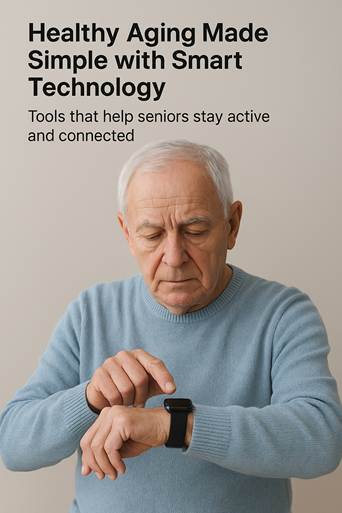
Aging today looks very different than it did just a decade ago. Technology is quietly reshaping how seniors live, making independence and safety easier to maintain. From mobile apps to smart wearables, older adults now have powerful tools at their fingertips to stay active, connected, and confident.
One platform leading this change is mySeniorCareHub, which brings together an easy-to-use app, a smart wristwatch, and a discreet pendant. Together, these tools make everyday life simpler while giving peace of mind to families.
Why Technology Matters in Aging – Healthy Aging Tools
Healthy aging is not just about living longer — it’s about living better. Apps and wearables help seniors:
Track steps, sleep, and heart rate.
Detect falls and call for help automatically.
Stay connected with family or caregivers.
Manage medications and health records.
Studies show that activity trackers encourage older adults to walk more and that personal emergency response systems reduce the time it takes to get help after a fall. These little nudges add up, supporting physical health, emotional wellbeing, and independence.
The Tools Making a Difference – Healthy Aging Tools
Tool
What it does
Why it helps
Practical tip
Smartwatch
Tracks steps, heart rate, sleep, and can detect falls
Encourages movement, gives early health warnings
Charge nightly, set small step goals
Pendant
Press-for-help button, some models detect falls automatically
Provides safety and confidence, especially for those living alone
Wear at all times, even at home
Mobile App
Shows activity, health trends, reminders, and connects caregivers
Central hub for daily monitoring and family updates
Use simple dashboards; update contacts monthly
A Story That Brings It Home – Healthy Aging Tools
Take Mrs. Rao, 72, who lives alone after recovering from hip surgery. She started using the mySeniorCareHub smartwatch, which gently reminded her to walk every hour. Within weeks, she was walking more confidently and sleeping better at night. Her daughter, living in another city, could check the app to see her daily activity and receive alerts if anything seemed unusual.
One evening, the pendant detected a fall in the bathroom and automatically notified both her daughter and a local responder. Help arrived quickly, and Mrs. Rao avoided a serious complication. She often says, “I feel like I’m living on my own, but not alone.”
How to Use mySeniorCareHub in Daily Life – Healthy Aging Tools
Set up your profile – Add emergency contacts, medical notes, and preferences.
Pair the devices – Connect the pendant and watch to the app so they sync automatically.
Customize alerts – Set up fall detection, heart rate alerts, and choose who receives notifications.
Follow a routine – Charge the watch at night, wear the pendant daily, and check the dashboard in the morning.
Run monthly checks – Test the help button and update contact details.
Limitations to Keep in Mind – Healthy Aging Tools
Technology is a support system, not a replacement for human care. Seniors may stop using devices if they’re uncomfortable, confused, or forget to charge them. Training and caregiver involvement are essential for long-term success. The most effective systems are those that are simple, reliable, and well-supported by family or health professionals.
Aging With Confidence – Healthy Aging Tools
Technology is often seen as complicated, but in reality, it can be a lifeline. With the right tools, seniors can enjoy more independence, and families gain peace of mind knowing help is always close.
mySeniorCareHubbrings these elements together in one place: a watch to encourage daily health, a pendant for safety, and an app to keep everyone connected. The result is not just healthy aging, but confident aging — living life with energy, security, and dignity.
Aging is inevitable but how we age makes all the difference. The World Health Organization (WHO) defines healthy aging as “the process of developing and maintaining the functional ability that enables well-being in older age.” In simple terms, it’s not just about adding years to life, but adding life to years.
Thanks to advances in medicine, people are living longer than ever. But longevity without quality can feel hollow. The key is adopting habits that keep the body strong, the mind sharp, and the spirit connected.
Why Healthy Aging Matters – Healthy Aging Tips
Research shows that lifestyle choices can influence up to 70% of how we age, while genetics account for about 30%. This means that small, intentional changes—like eating well, staying active, and engaging socially—can dramatically improve independence and quality of life in later years.
A long-term study published in The Lancet found that seniors who maintained healthy habits had lower risks of chronic diseases, better mobility, and improved cognitive function. In other words, healthy aging is achievable—and it’s never too late to start.
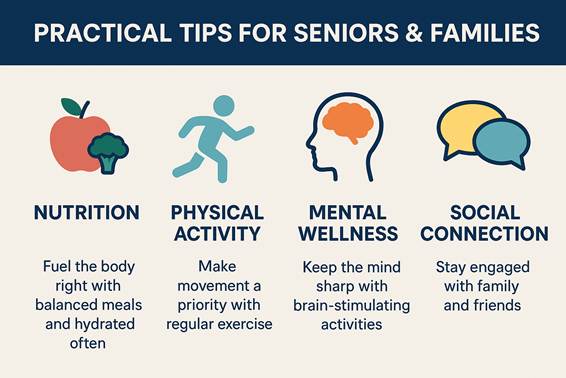
The Four Pillars of Healthy Aging
1. Nutrition: Fueling the Body Right – Healthy Aging Tips
A balanced diet supports energy, immunity, and mental sharpness. Seniors often need fewer calories but more nutrients.
Focus on: Fruits, vegetables, whole grains, lean proteins, and omega-3-rich foods (like salmon or flaxseed).
Limit: Processed foods, added sugars, and excess sodium.
Science says: The Mediterranean diet has been linked to lower risks of dementia and heart disease.
Practical tip: Use mySeniorCareHub’s meal planner to track nutrition, discover senior-friendly recipes, and set hydration reminders.
2. Physical Activity: Movement is Medicine – Healthy Aging Tips
Exercise is one of the most powerful “anti-aging” tools. Regular movement helps maintain balance, flexibility, and bone strength while reducing the risk of chronic illnesses.
WHO recommends: At least 150 minutes of moderate activity weekly.
Options: Walking, light strength training, yoga, or even dancing.
Story: A 72-year-old user of mySeniorCareHub shared how daily 20-minute walks not only improved her blood pressure but also lifted her mood.
Practical tip: The mySeniorCareHub app lets families set personalized fitness goals and track progress together.
3. Mental Wellness: Keeping the Mind Sharp – Healthy Aging Tips
Aging well isn’t only physical. Mental health and cognitive resilience are just as important.
Brain boosters: Reading, puzzles, music, or learning new skills.
Mindfulness & sleep: Meditation and adequate rest improve focus and reduce stress.
Science says: Studies show that seniors who stay mentally active lower their risk of cognitive decline by up to 30%.
Practical tip: mySeniorCareHub offers brain games and memory exercises that make daily practice fun and trackable.
4. Social Connection: The Hidden Superpower – Healthy Aging Tips
Loneliness is often called the “silent epidemic” among seniors, linked to higher risks of depression, heart disease, and dementia.
Stay connected: Regular calls, group activities, volunteering, or community programs.
Science says: A Harvard study spanning 80 years found that strong relationships are the single biggest predictor of happiness and longevity.
Practical tip:mySeniorCareHub’s “Community Connect” feature helps seniors join interest-based groups, schedule family video calls, and track social engagement.
At a Glance: Keys to Healthy Aging
Pillar
What to Do Daily
Backed by Science?
Nutrition
Balanced meals, hydrate often
Mediterranean diet lowers disease risks
Physical Activity
Walk, stretch, strength train
WHO: 150 mins/week reduces chronic illness
Mental Wellness
Read, play games, practice mindfulness
Cognitive activity lowers dementia risk
Social Connection
Stay engaged with family/friends
Harvard study: relationships = longevity
How Families Can Support Seniors
Healthy aging is not a solo journey. Families play a vital role in encouraging habits, checking in regularly, and helping seniors stay accountable. With the mySeniorCareHub app, families can:
Set reminders for medication, meals, and hydration.
Monitor wellness dashboards remotely.
Celebrate milestones like completing fitness goals or maintaining sleep routines.
Live Your Golden Years with Pride
Healthy aging isn’t about perfection—it’s about consistency. By focusing on nutrition, activity, mental wellness, and social connection, seniors can enjoy greater independence and joy in later years. And with tools like mySeniorCareHub, families have a trusted companion to make these practices easier and more engaging.
Aging gracefully is less about fighting time, and more about living well within it.
Caring for a loved one with dementia can feel overwhelming, especially when it comes to ensuring their safety and preventing wandering. One of the biggest concerns caregivers face is the fear of their loved one leaving home and getting lost in an unsafe environment.
In 2026, mySeniorCareHub stands out as the essential tool for dementia care, transforming a standard smartphone into a sophisticated GPS lifeline that balances constant protection with senior dignity.
Let’s explore why the right GPS tracking is the ultimate safety net for modern caregivers.
Why GPS Tracking Apps Matters in 2026 – Best for Seniors with Dementia
Dementia often causes confusion and disorientation, even in familiar places.
Without a reliable tracking system, a simple trip to the mailbox can lead to risky situations involving traffic, extreme weather, or intense emotional distress for both the senior and the caregiver.
Today’s families need more than a “find my phone” feature. They need an intervention tool that allows them to locate loved ones instantly and reduce the panic of the unknown. That’s exactly what mySeniorCareHub delivers.
Why Generic GPS Apps Often Fail Caregivers?
Battery Drain: Many tracking apps run high-intensity GPS pings that kill a phone’s battery right when you need it most.
ControlConflict: Seniors may feel monitored or “policed,” leading them to leave their devices behind.
Slow Refresh Rates: In a wandering crisis, a location update that takes 15 minutes is 15 minutes too late.
How mySeniorCareHub Compares to Popular Tracking Apps
Feature
myseniorcarehub
Life360
Google Family Link
Glympse
Real-Time Tracking
Fast & Accurate
Good
Slower Refresh
Temporary
Geo-Fencing
Yes
Yes
Limited
No
Ease Of Use
Overall Great
Quite Good
Okay
Generally Okay
Battery Impact
Low
Medium
Medium
Low
Emergency Alerts
SOS Alerts
Yes
None
None
Best For
Families & Dementia Caregiving
Kids & Teens
Families In General
Short-Term Sharing
Don’t Wait for a crisis to happen…
No long-term contracts. 2,000+ families protected. Set up in under 2 minutes
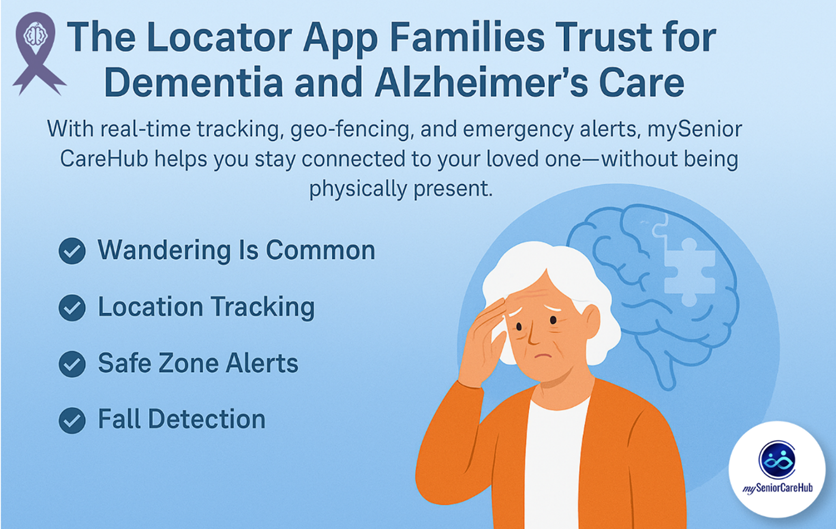
Caring for someone with dementia or Alzheimer’s is more than just memory support. These conditions often affect orientation, decision-making, and even the ability to recognize familiar surroundings. One of the most pressing concerns for families is wandering a common and dangerous behavior associated with cognitive decline.
Did you know? 60% of people with dementia will wander at least once, and many do so repeatedly. These aren’t casual walks—they can lead to accidents, confusion, dehydration, or getting lost in unfamiliar or even busy areas.
mySeniorCareHub is built specifically for elderly safety, dementia care, and peace of mind for caregivers. With senior-friendly features and a caregiver dashboard, it’s one of the most reliable apps for tracking, protecting, and staying connected with loved ones who are living with memory disorders.
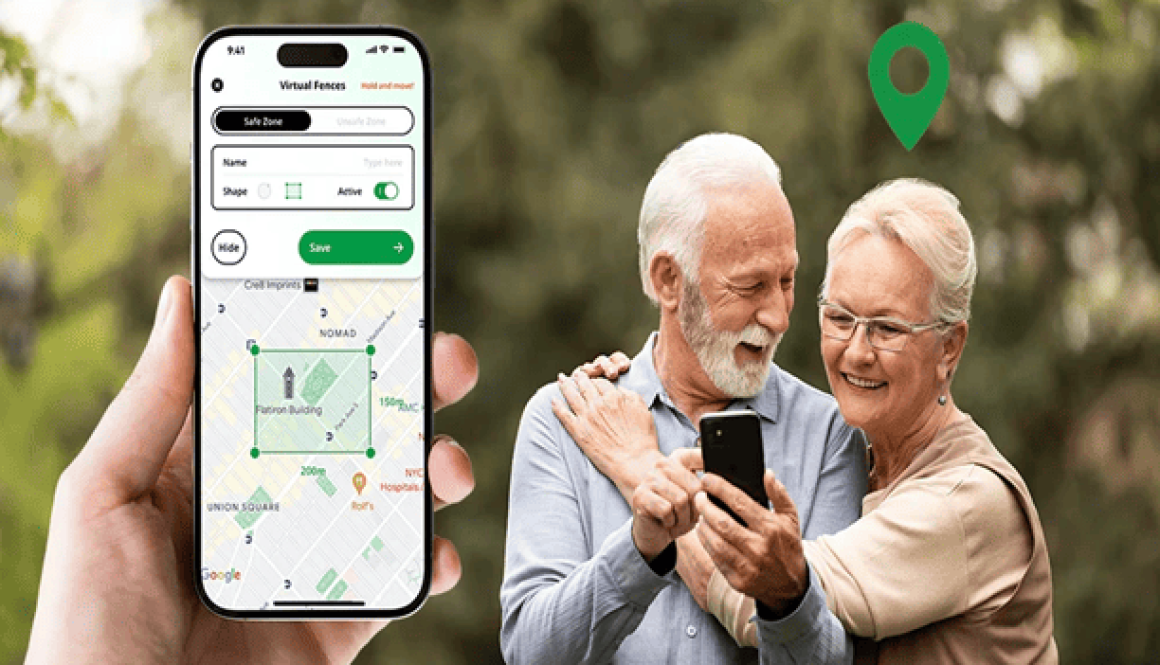
Create safe zones such as home, nearby parks, or a neighbor’s house. Get instant alerts if your parent wanders outside these areas—so you can act fast.
💡 Tip: Set up multiple zones that reflect your parent’s daily routine to avoid false alarms and reduce stress.
If your loved one gets confused or lost, a single tap sends an emergency alert with their live location to you and other caregivers.
🧍♂️ Fall Detection with GPS
Falls are dangerous, especially when they occur during a wandering episode. mySeniorCareHub detects sudden falls and shares the precise location for faster intervention.
📊 Caregiver Dashboard for Family Monitoring
Whether you’re in the same house or abroad, you can monitor their location, vitals, and medication reminders all in one dashboard.
Wandering doesn’t mean they’ve lost control it means they need support. And support should never feel like surveillance. mySeniorCareHub respects the autonomy of seniors while empowering caregivers with vital information and alerts.
Its clean design, voice-enabled features, and simple interface make it suitable even for seniors unfamiliar with technology.
More Than Just a Locator. It’s a Complete Care Solution
In addition to GPS location tracking, the app includes:
Keeping track of elderly loved ones shouldn’t feel like a chore or an invasion of privacy. In 2026, the best location tracking app balance smart safety with personal independence.
Whether you’re a “sandwich generation” parent managing kids and aging parents, or simply want to ensure your family’s devices are secure, finding the right tool is the definitive way to gain peace of mind.
In 2026, mySeniorCareHub stands out as the premier choice for families who need more than just a dot on a map – it’s a comprehensive wellness companion.
Quick Answer: 2026 Winners
In 2026, If you’re in a hurry to find the perfect location tracking app, here’s the bottom line:
Better Choice for Teens Families: Life360 – A gold standard for real-time “circles” and driving safety.
Best for Device Security: Apple Find My (iOS) & Google Find My Device (Android).
Overall Best App for Seniors: mySeniorCareHub – Specifically built for elder care with fall detection and safety + health integration.
Protect Your Elderly Loved Ones Today
Join thousands of families using mySeniorCareHub to ensure their parents stay safe and independent
Why Location Tracking Matters in 2026 – Caring Smarter, Not Harder
Location tracking offers real-time visibility and emergency alerts, helping caregivers stay connected while respecting a senior’s dignity.
But not all tracking is created equal. To ensure an app actually helps (without draining battery or causing “monitor fatigue”), it must rest on five pillars:
Why mySeniorCareHub is the Best for “Aging in Place”
Most apps track phones; mySeniorCareHub tracks wellness. It is a comprehensive safety companion designed to keep seniors independent while giving families peace of mind.
Daily Wellness Check-Ins: It replaces the “anxious daily phone call” with a simple, one-tap “I’m Okay” button. If a check-in is missed, the care circle is instantly notified.
Built-in Fall Detection: Using advanced smartphone sensors, it detects sudden impacts and alerts emergency contacts—no expensive, clunky hardware required.
Vital Health Tracking: Beyond GPS, it allows seniors to log blood pressure, heart rate, and oxygen levels, creating a health timeline for the whole family.
Smart Geofencing: Get an instant ping the moment a loved one leaves their “Safe Zone” or arrives safely at a doctor’s appointment.
While apps like Life360 are great for teens and Glympse is perfect for temporary ETA sharing, only one app is built specifically for the unique needs of aging parents.
Is the stress of “not knowing” Taking a Toll? Don’t Wait For A Crisis To Happen
In today’s fast-paced world, managing your health can be a daunting task, especially when it comes to taking medication on time. But fear not! With the rise of technology, medication apps are here to simplify your daily routine. Imagine having a personal assistant right at your fingertips, ensuring you never miss a dose again. From customizable reminders to medication tracking and refill alerts, these apps are designed to keep you organized and in control of your health journey.
In this article, we’ll explore the top 10 best medication apps for Android that embody user-friendly features and robust functionalities. Whether you’re managing a chronic condition or just need a little extra help with your prescriptions, these apps are indispensable tools for anyone looking to enhance their medication management. Dive in and discover the perfect app to help you stay on top of your health!
Importance of Medication Adherence
In the realm of healthcare, medication adherence is crucial for achieving desired health outcomes. Adhering to prescribed medication regimens ensures the efficacy of treatment plans, helping to manage chronic conditions and prevent complications. However, many individuals struggle with maintaining consistent medication schedules, leading to suboptimal health results. This adherence issue can stem from various factors, including forgetfulness, complex medication schedules, or a lack of understanding about the importance of the medication.
Non-adherence can have significant repercussions, both for individual health and the broader healthcare system. For patients, missing doses can result in worsening conditions, increased hospitalizations, and a diminished quality of life. On a larger scale, it contributes to higher healthcare costs due to increased emergency visits and the need for more intensive treatments. Therefore, finding effective ways to improve medication adherence is a top priority for healthcare providers and patients alike.
Fortunately, the advent of technology has introduced innovative solutions to combat this problem. Medication apps have emerged as powerful tools to aid individuals in managing their medication schedules efficiently. These apps provide reminders, track doses, and offer valuable information about medications, making it easier for users to stay on track with their treatment plans. By leveraging these digital aids, patients can enhance their adherence rates, leading to better health outcomes and a more streamlined healthcare experience.
Key Features to Look for in Best Medication Reminder Apps for Android & iOS
When selecting a medication reminder app, it’s essential to consider several key features that can significantly impact its usability and effectiveness. First and foremost, customizable reminders are a critical component. Users should be able to set specific times for reminders based on their unique schedules and preferences. This flexibility ensures that reminders fit seamlessly into daily routines, reducing the likelihood of missed doses.
Another important feature is comprehensive medication tracking. A good app should allow users to log each dose they take, providing a clear history of their medication adherence. This tracking capability helps users and their healthcare providers monitor progress and make necessary adjustments to treatment plans. Additionally, having the option to track side effects and other medication-related notes can be immensely beneficial for managing overall health.
Beyond reminders and tracking, medication apps should offer refill alerts to prevent users from running out of essential medications. Timely notifications about upcoming refills ensure that users can arrange renewals without any gaps in their treatment. Moreover, integration with pharmacies for easy prescription refills can further streamline this process. Finally, user-friendly interfaces and secure data handling are crucial features. The app should be easy to navigate, even for those who are not tech-savvy, and it must protect users’ personal health information with robust security measures.
Overview of the Top Medication Appsfor Android & iOS
A plethora of medication apps are available on the Android platform, each with unique features designed to assist with medication management. Here, we provide an overview of the top 10 medication apps that stand out for their functionality and user experience.
mySeniorCareHub-Pill & Medication Reminder App: This app simplifies medication management with smart pill reminders, dose tracking, and refill alerts. It also offers a wellness score and health insights, allowing users to monitor their overall health. With support for family and caregiver access, it ensures timely medications and better communication with loved ones and healthcare professionals.
MyTherapy: This app combines medication reminders with a health journal, allowing users to track their overall health alongside their medication adherence. It also supports collaboration with healthcare providers.
Medisafe: Known for its intuitive interface, Medisafe provides personalized medication reminders, drug interaction warnings, and detailed medication information. It also offers family support features to help manage loved ones’ medications.
Pill Reminder and Medication Tracker by Medica: This app offers customizable reminders, refill alerts, and a comprehensive medication log. It supports various types of medications, including pills, injections, and patches.
CareZone: In addition to medication management, CareZone includes features for tracking health metrics, organizing health information, and sharing updates with caregivers and family members.
Dosecast: With Dosecast, users can set flexible medication schedules, receive reminders, and log doses. It also provides adherence reports and supports multiple user profiles.
MyMeds: MyMeds offers personalized medication reminders, refill alerts, and educational content about medications. It also supports integration with pharmacies and healthcare providers.
MedHelper: This app provides reminders, dose logging, and adherence reports. It also includes features for tracking symptoms and side effects, making it a comprehensive health management tool.
Pill Monitor: Pill Monitor focuses on simplicity, offering easy-to-use reminders and dose logging. It also includes a calendar view to visualize medication schedules.
Round Health: This app offers flexible scheduling options and simple reminders. Its clean interface makes it easy to manage multiple medications.
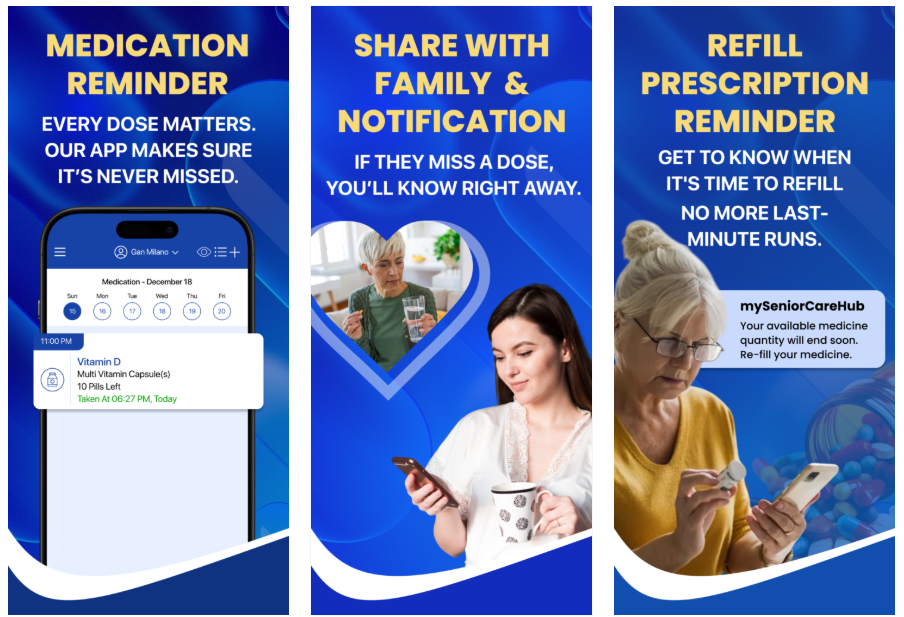
mySeniorCareHub Pill & Medicine Reminder App is a thoughtfully designed tool that simplifies medication management for seniors while offering support for caregivers and families. It allows users to easily schedule medications with smart reminders, including flexible timing, persistent alerts, and refill notifications to ensure no dose is missed. Whether you take medicine once a day or multiple times at specific intervals, the app handles even complex medication routines with ease. The user-friendly interface with large fonts, voice command access, and intuitive navigation makes it especially suitable for seniors.
mySeniorCareHub app also provides Location Tracking with Track 360, allowing families to monitor their loved ones in real time. You can set safe zones and receive instant alerts if a senior moves outside these areas, making it easier to ensure their safety while respecting their independence.
MyTherapy
MyTherapy stands out for its holistic approach to health management. Beyond medication reminders, it allows users to track various health parameters, such as blood pressure, weight, and mood. This comprehensive tracking can provide valuable insights into how medications affect overall health. The app also supports collaboration with healthcare providers, enabling users to share their health data during appointments.
The interface is user-friendly, with a clear layout and intuitive navigation. Users can easily add medications, set reminders, and log doses. MyTherapy also offers motivational features, such as progress charts and reminders to stay active, which can encourage users to maintain healthy habits. Additionally, the app is available in multiple languages, making it accessible to a global audience.
One of the standout features of MyTherapy is its ability to handle complex medication regimens. Users can set reminders for medications that need to be taken multiple times a day or at specific intervals. The app also provides refill alerts to ensure users never run out of their medications. Overall, MyTherapy is a versatile and comprehensive tool for managing health and medication adherence.
Medisafe
Medisafe is a popular medication management app known for its sleek design and robust features. The app provides personalized medication reminders, which can be customized based on the user’s schedule. It also offers drug interaction warnings, ensuring that users are aware of any potential risks associated with their medications.
The interface is clean and easy to navigate, making it suitable for users of all ages. Medisafe also includes a “Medfriend” feature, which allows family members or caregivers to receive notifications if the user misses a dose. This feature can be particularly useful for those managing medications for loved ones.
Medisafe offers detailed medication information, including dosage instructions and potential side effects. Users can also log their doses and track their adherence over time. The app provides adherence reports that can be shared with healthcare providers, facilitating better communication and care. Medisafe is available for free, with additional premium features available through a subscription.
Pill Reminder and Medication Tracker by Medica
This app by Medica offers a range of features designed to simplify medication management. Users can set customizable reminders for different types of medications, including pills, injections, and patches. The app also provides refill alerts, ensuring users never run out of their medications.
The interface is straightforward and easy to use, with clear instructions for adding medications and setting reminders. Users can log their doses and track their adherence history, making it easy to monitor progress and identify any missed doses. The app also supports multiple user profiles, making it suitable for families or caregivers managing medications for others.
One of the unique features of this app is its support for various types of medications. Users can set reminders for medications that need to be taken at specific intervals, such as every few hours or on certain days of the week. The app also provides a comprehensive medication log, allowing users to track their adherence and share this information with healthcare providers.
CareZone
CareZone goes beyond medication management, offering a range of features to support overall health and well-being. In addition to medication reminders, the app includes tools for tracking health metrics, organizing health information, and sharing updates with caregivers and family members.
The interface is user-friendly, with a clear layout and intuitive navigation. Users can easily add medications, set reminders, and log doses. CareZone also includes a feature for scanning medication labels, making it easy to add new medications to the app. Users can also track health metrics such as blood pressure, weight, and blood sugar levels.
One of the standout features of CareZone is its ability to organize health information. Users can store important documents, such as prescriptions, insurance information, and medical records, all in one place. This feature can be particularly useful for individuals managing multiple health conditions or caring for loved ones. CareZone is available for free, with additional premium features available through a subscription.
Dosecast
Dosecast is a versatile medication management app that offers flexible scheduling options and comprehensive tracking features. Users can set reminders for different types of medications, including pills, injections, and patches. The app also provides adherence reports, making it easy to monitor progress and share information with healthcare providers.
The interface is clean and easy to navigate, with clear instructions for adding medications and setting reminders. Users can log their doses and track their adherence history, making it easy to identify any missed doses. The app also supports multiple user profiles, making it suitable for families or caregivers managing medications for others.
One of the unique features of Dosecast is its ability to handle complex medication regimens. Users can set reminders for medications that need to be taken multiple times a day or at specific intervals. The app also provides refill alerts to ensure users never run out of their medications. Overall, Dosecast is a comprehensive tool for managing medication adherence.
MyMeds
MyMeds offers a range of features designed to simplify medication management. Users can set personalized medication reminders, receive refill alerts, and access educational content about their medications. The app also supports integration with pharmacies and healthcare providers, making it easy to manage prescriptions and stay on top of refills.
The interface is user-friendly, with a clear layout and intuitive navigation. Users can easily add medications, set reminders, and log doses. MyMeds also includes a feature for tracking side effects and other medication-related notes, providing valuable insights into how medications affect overall health.
One of the standout features of MyMeds is its ability to provide personalized medication information. Users can access detailed information about their medications, including dosage instructions and potential side effects. The app also offers educational content to help users better understand their treatment plans. MyMeds is available for free, with additional premium features available through a subscription.
MedHelper
MedHelper is a comprehensive medication management app that offers reminders, dose logging, and adherence reports. Users can set customizable reminders for different types of medications, including pills, injections, and patches. The app also includes features for tracking symptoms and side effects, making it a valuable tool for managing overall health.
The interface is straightforward and easy to use, with clear instructions for adding medications and setting reminders. Users can log their doses and track their adherence history, making it easy to monitor progress and identify any missed doses. The app also supports multiple user profiles, making it suitable for families or caregivers managing medications for others.
One of the unique features of MedHelper is its ability to track symptoms and side effects. Users can log any adverse reactions to medications and share this information with healthcare providers. The app also provides adherence reports, making it easy to monitor progress and make necessary adjustments to treatment plans. MedHelper is available for free, with additional premium features available through a subscription.
Pill Monitor
Pill Monitor focuses on simplicity, offering easy-to-use reminders and dose logging. Users can set customizable reminders for different types of medications, including pills, injections, and patches. The app also includes a calendar view to visualize medication schedules, making it easy to stay on track.
The interface is clean and easy to navigate, with clear instructions for adding medications and setting reminders. Users can log their doses and track their adherence history, making it easy to monitor progress and identify any missed doses. The app also provides refill alerts to ensure users never run out of their medications.
One of the standout features of Pill Monitor is its focus on simplicity. The app is designed to be easy to use, even for those who are not tech-savvy. The calendar view provides a clear visual representation of medication schedules, making it easy to stay organized. Pill Monitor is available for free, with additional premium features available through a subscription.
Round Health
Round Health offers flexible scheduling options and simple reminders, making it easy to manage multiple medications. Users can set customizable reminders for different types of medications, including pills, injections, and patches. The app also includes a feature for tracking doses, providing a clear history of medication adherence.
The interface is clean and easy to navigate, with clear instructions for adding medications and setting reminders. Users can log their doses and track their adherence history, making it easy to monitor progress and identify any missed doses. The app also provides refill alerts to ensure users never run out of their medications.
One of the unique features of Round Health is its flexible scheduling options. Users can set reminders for medications that need to be taken at specific intervals, such as every few hours or on certain days of the week. The app also provides a clear visual representation of medication schedules, making it easy to stay organized. Round Health is available for free, with additional premium features available through a subscription.
User Experience and Interface Comparisons
When it comes to medication apps, user experience and interface design are crucial factors that can significantly impact their effectiveness. Each of the top 10 medication apps for Android offers a unique user experience, catering to different preferences and needs. Here, we compare the user experience and interface design of these apps to help you choose the one that best suits your requirements.
mySeniorCareHub is designed especially for seniors. It has large text, easy buttons, and voice commands, making it simple to use. The app sends smart reminders, refill alerts. Family members or caregivers can connect to the app to get alerts if you miss a dose or have a health concern. It also includes location trackingand Track 360 features that offer daily wellness check-ins and alert caregivers if a check-in is missed.
MyTherapy is a free app that helps users set medication reminders and track basic health metrics like blood pressure and mood. It’s easy to use and works well for those managing their health on their own. However, it lacks key features like SOS alerts, location tracking, caregiver notifications, and wellness scoring—making it less suitable for seniors compared to the more complete and senior-focused mySeniorCareHub.
mySeniorCareHub is a great choice for seniors and their families who want an easy, safe, and connected way to manage health and medicine. MyTherapy is better for users who want to track everything by themselves.
mySeniorCareHub Pill & Medication Reminder App vs. Medisafe
mySeniorCareHub is designed especially for seniors. It features large text, simple buttons, and voice commands, making it easy to use for older adults. The app sends smart medication reminders and refill alerts, ensuring you never miss a dose. It also includes location tracking and the Track 360 feature, which sends daily wellness check-in requests and notifies family or caregivers if a check-in is missed. You can manage more than one person from the same app, making it ideal for families or caregivers looking after multiple seniors. Loved ones can stay connected and get alerts if there’s a missed dose or health concern.
Medisafe is known for its clean, modern design and is suitable for users of all ages. It offers personalized medication reminders, alerts for potential drug interactions, and a feature called “Medfriend” that notifies a trusted person if you miss your medicine. Medisafe also provides detailed information about your medications, which can be helpful for those who manage their health independently.
MyTherapy vs. Medisafe vs. MySeniorCareHub – Best Medication Reminder Apps
MyTherapy and Medisafe are both highly regarded for their user-friendly interfaces and comprehensive features. With a clean layout and intuitive navigation, MyTherapy delivers a holistic approach to health management. Users can easily add medications, set reminders, and track their health metrics thanks to its straightforward design. Adding to the experience are motivational tools like progress charts, which keep users engaged and on track.
Medisafe, on the other hand, is known for its sleek design and robust features. It offers personalized medication reminders, drug interaction warnings, and detailed medication information. A standout feature, “Medfriend” allows caregivers or family members to receive alerts if a dose is missed, enhancing peace of mind. Its clean and accessible interface ensures that users of all ages can navigate the app with ease.
Pill Reminder and Medication Tracker by Medica vs. CareZone
Pill Reminder and Medication Tracker by Medica offers a straightforward interface with clear instructions for adding medications and setting reminders. The app’s design is simple yet effective, making it easy for users to manage their medication schedules. The inclusion of a comprehensive medication log and refill alerts further enhances the user experience.
CareZone takes a more holistic approach, offering a range of features to support overall health and well-being. The app’s interface is user-friendly, with a clear layout and intuitive navigation. Users can easily add medications, set reminders, and track health metrics such as blood pressure, weight, and blood sugar levels. The ability to organize health information and share updates with caregivers adds an extra layer of convenience.
Dosecast vs. MyMeds
Dosecast is known for its flexible scheduling options and comprehensive tracking features. The app’s interface is clean and easy to navigate, with clear instructions for adding medications and setting reminders. The ability to handle complex medication regimens and provide adherence reports makes Dosecast a versatile tool for managing medication adherence.
MyMeds offers a range of features designed to simplify medication management. The app’s interface is user-friendly, with a clear layout and intuitive navigation. Users can access detailed medication information, set personalized reminders, and receive refill alerts. The integration with pharmacies and healthcare providers further enhances the overall user experience.
MedHelper vs. Pill Monitor
MedHelper provides a comprehensive approach to medication management, with reminders, dose logging, and adherence reports. The app’s interface is straightforward and easy to use, making it suitable for users of all ages. The ability to track symptoms and side effects adds an extra layer of convenience, making MedHelper a valuable tool for managing overall health.
Pill Monitor focuses on simplicity, offering easy-to-use reminders and dose logging. The app’s interface is clean and easy to navigate, with clear instructions for adding medications and setting reminders. The inclusion of a calendar view to visualize medication schedules enhances the overall user experience, making it easy for users to stay organized.
Pricing and Subscription Models
The pricing and subscription models of medication apps can vary significantly, with some offering free versions and others requiring a subscription for access to premium features. Here, we provide an overview of the pricing and subscription models for the top 10 medication apps for Android.
Pricing & Subscription Models of Top Medication Apps for Android